Azure DevOps Series - Azure Test Plans

𝑪𝒍𝒐𝒖𝒅 𝒂𝒏𝒅 𝑫𝒆𝒗𝑶𝒑𝒔 𝑻𝒆𝒄𝒉 𝑪𝒐𝒎𝒎𝒖𝒏𝒊𝒕𝒚 || 𝑷𝒓𝒐𝑫𝒆𝒗𝑶𝒑𝒔𝑮𝒖𝒚 🤖 https://t.me/prodevopsguy 👋 Hi there! We are ProDevOpsGuy, a passionate DevOps enthusiast Tech Community with a strong belief in the power of automation and collaboration to drive innovation. 🚀 I thrive in bridging the gap between development and operations, creating seamless and efficient software delivery pipelines. My journey in the world of DevOps has allowed me to blend my technical skills with a knack for problem-solving, enabling me to contribute effectively to agile and dynamic environments. 💡 With a keen interest in continuous integration, continuous delivery (CI/CD), containerization, and orchestration, I've had the privilege to explore cutting-edge technologies like Docker, Kubernetes, Jenkins, and Ansible. I find joy in designing scalable and resilient infrastructures that enable teams to deploy applications faster and with greater confidence. 🌐 Beyond the tech realm, I'm an advocate for DevOps culture, emphasizing collaboration, communication, and a relentless pursuit of improvement. I'm always eager to connect with fellow professionals, exchange insights, and explore opportunities to collaborate on exciting projects. 📚 When I'm not tinkering with the latest DevOps tools, you can find me indulging in books on technology trends, hiking to rejuvenate, and occasionally experimenting with new coding challenges. 🌟 Let's connect! Whether you're looking to discuss DevOps methodologies, explore partnership opportunities, or simply share experiences, feel free to reach out. I'm excited to be part of the DevOps journey, driving excellence together.
Azure Test Plans is a test management module within Azure DevOps that lets users manage test plans, test suites, and test cases for everyone in the software development process.
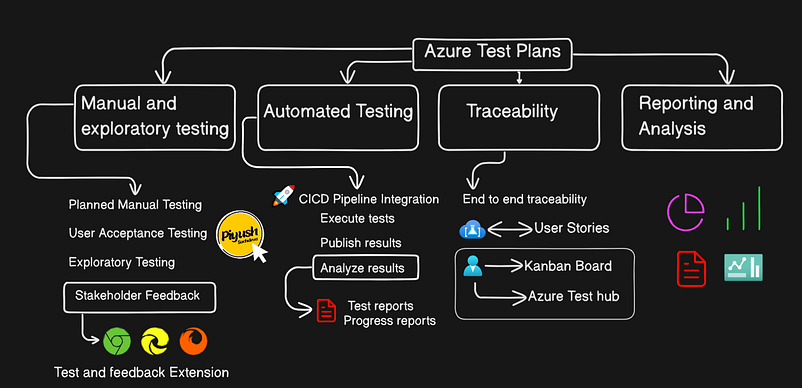
Using test plans, you can Azure Test Plans also provides a browser extension for exploratory testing and gathering feedback from stakeholders.
Activate the azure test plan trial period enable Organization + User side

User level change
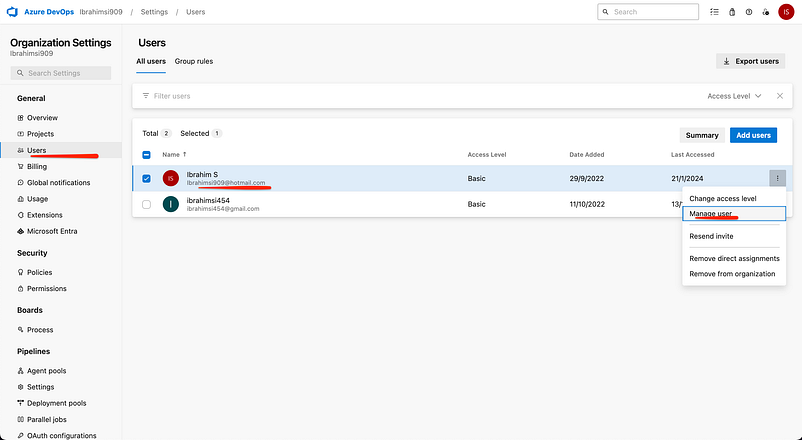
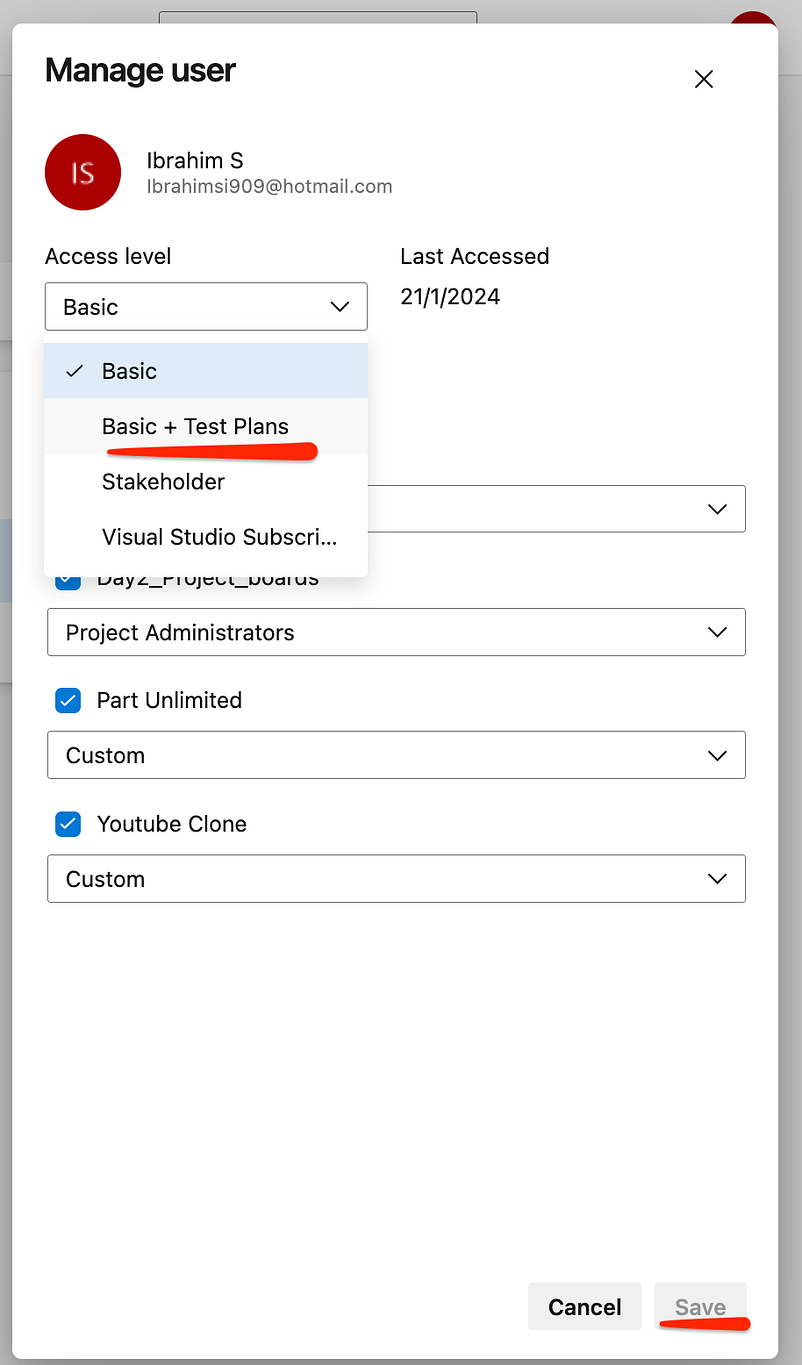
Changes made


Access level
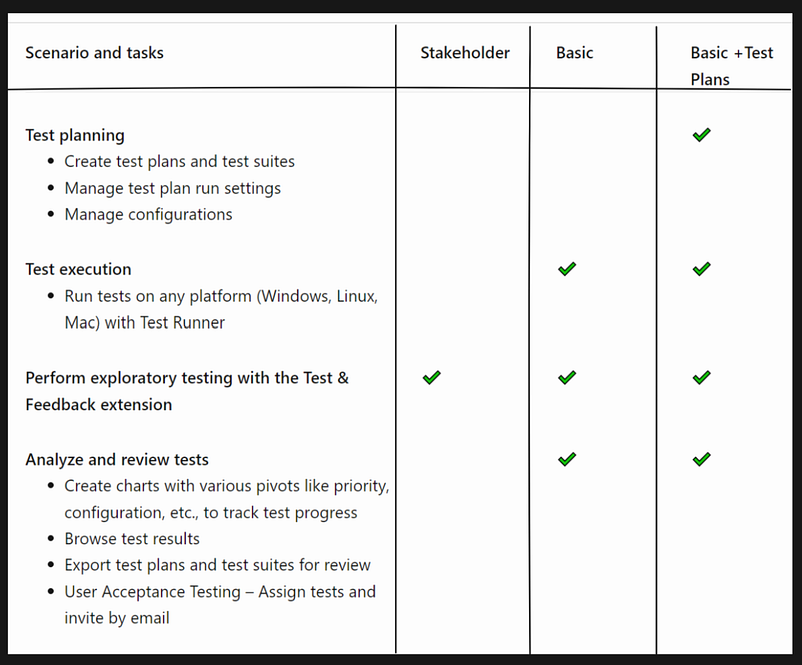
You should have Basic + test plan access to execute, create, and publish test cases
To execute the test cases using Test Runner, you should have at least basic access
To run exploratory testing with the Feedback extension, you should have stakeholder access
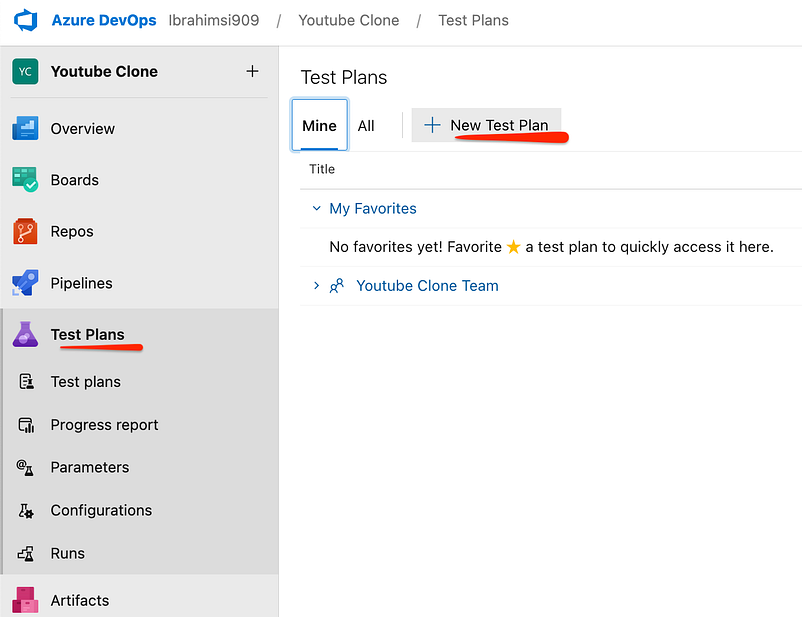
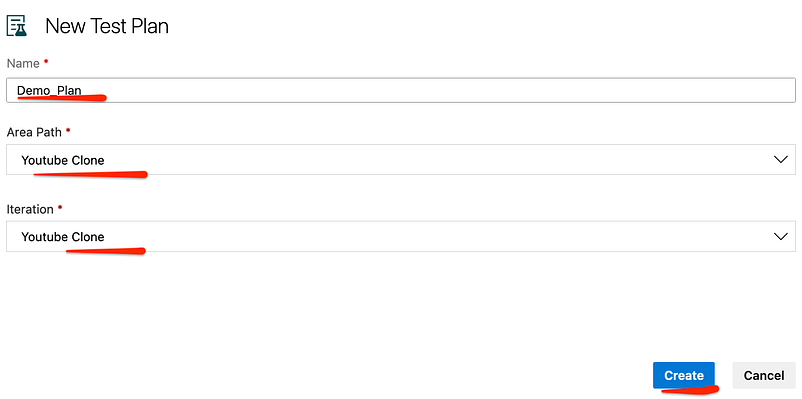
Create a Plan
C
A test suite is a set of tests designed to check the functionality and performance of the software. It collects individual test cases based on their specific purpose or characteristics.
The Azure Test Plans contain and configure test suites and individual test cases. Test suites are the collection of test cases. So, when you create a test plan, you must create test suites within it. Three types of test suites…
Static-based: You can use these test cases to group out other test suites or test cases.
Requirement based: These test suites are the basic test suites. They pull all the test cases for a given requirement.
Query based: these test suites pull a group of test cases from your project as per the requirement.
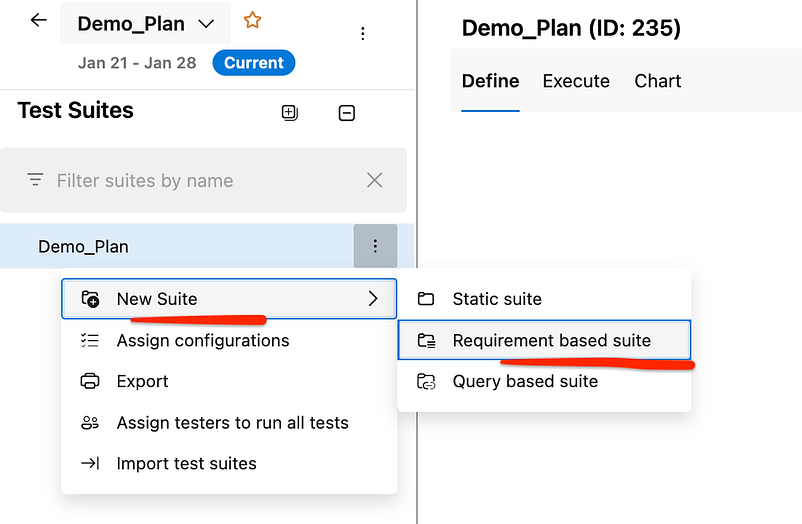
Create some dummy data for azure test plan
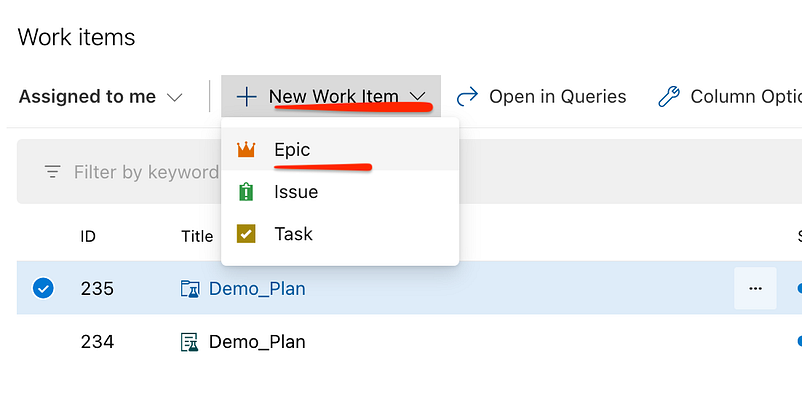
Azure Bioards → Create a new work item → Epic
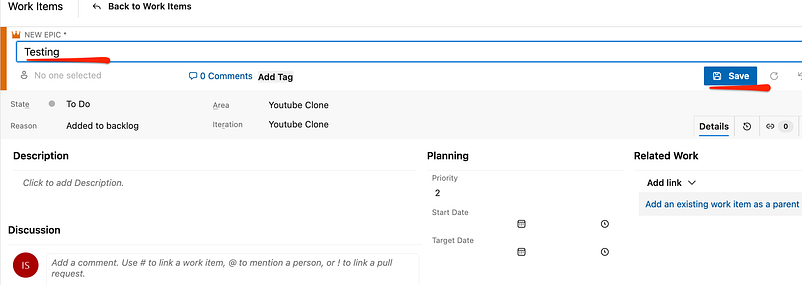
Save the Epic
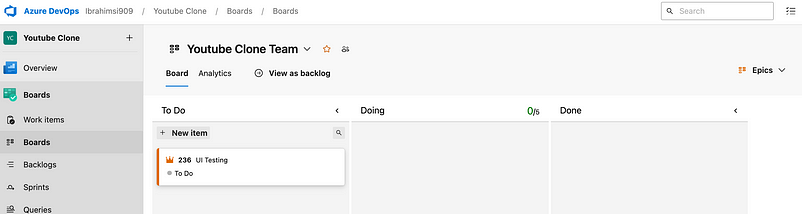
Go to the azure boards → Select Epic

Change the name Testing instead of UI Testing

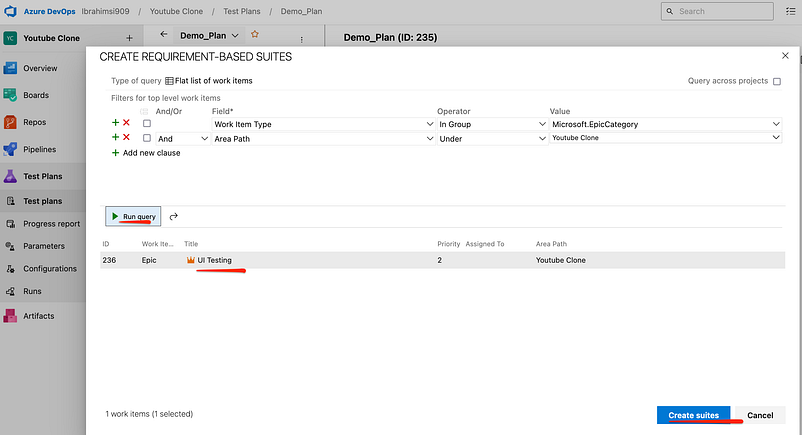
Goto the azure test suite and change the work item type “Microsoft.EpicCategory”

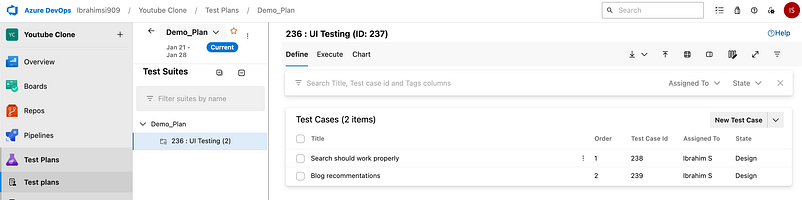
Run a query → Create suites
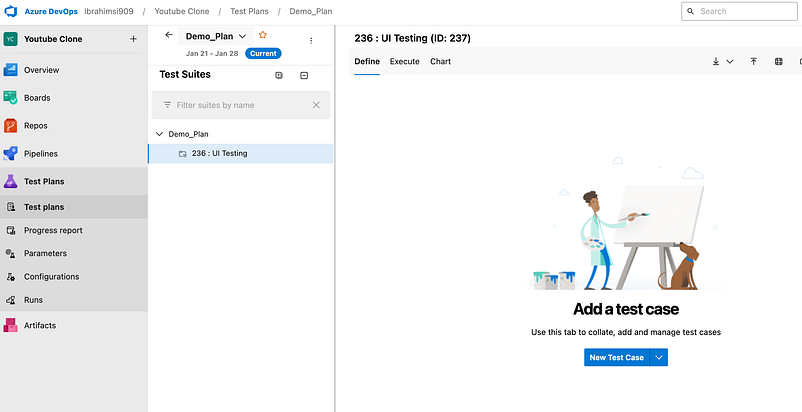
Add the test case
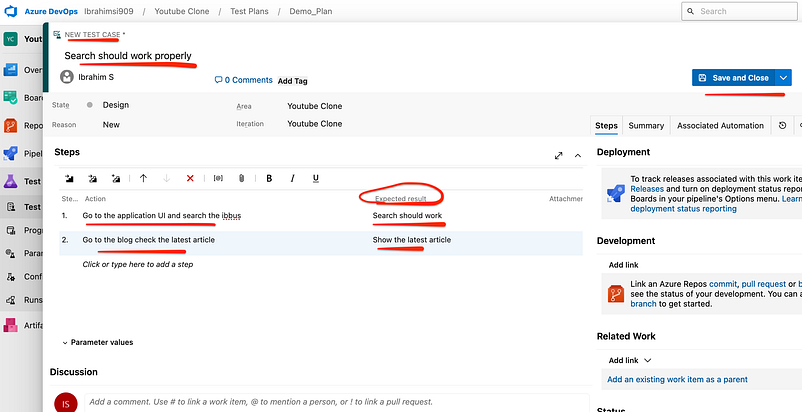
Another one test case created
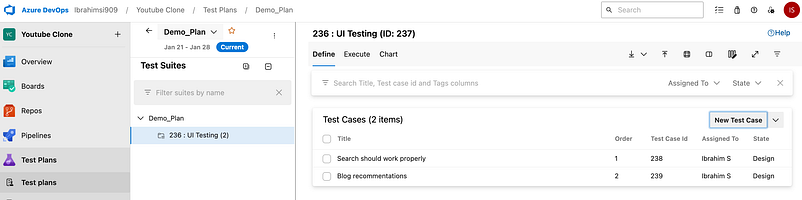
Assign the test case for someone (users)
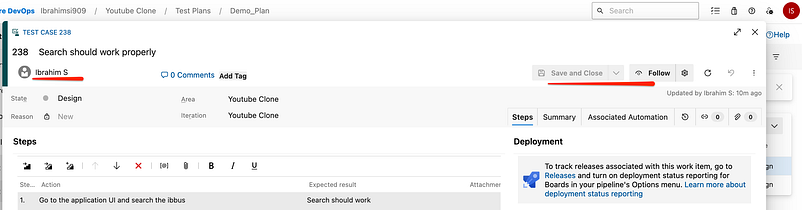
The test hub provides a central place for all test planning, execution, and analysis. Test hub displays the results of test runs. This includes all test runs, both manual and automated.
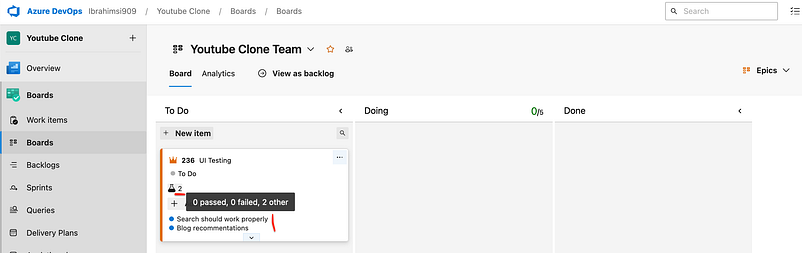
Goto the azure board check the work item. The test case reflected to the board.
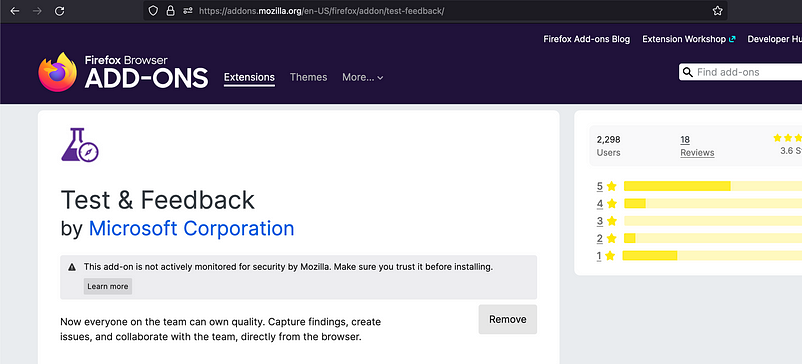
First install the test & case feedback extension. I already add
Connect to the dev azure portal
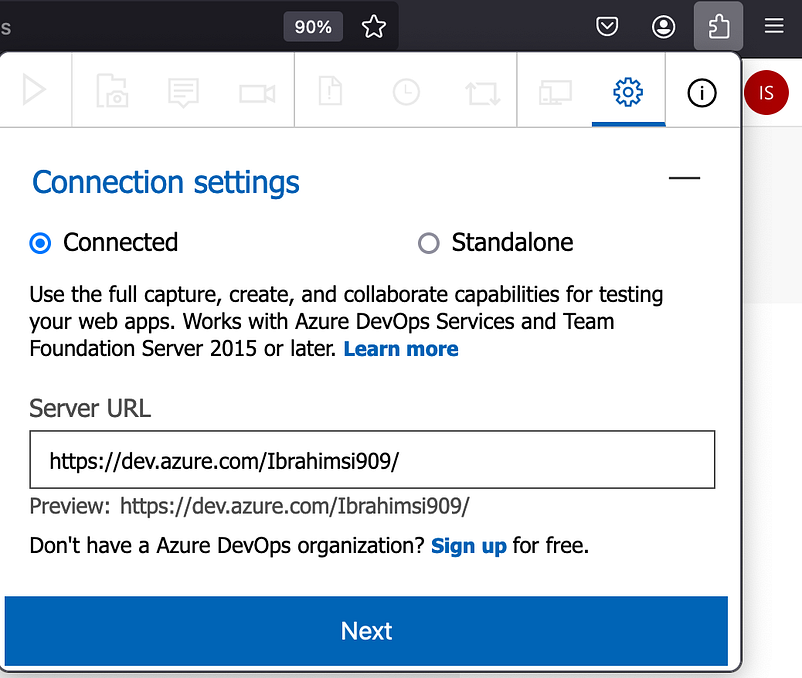
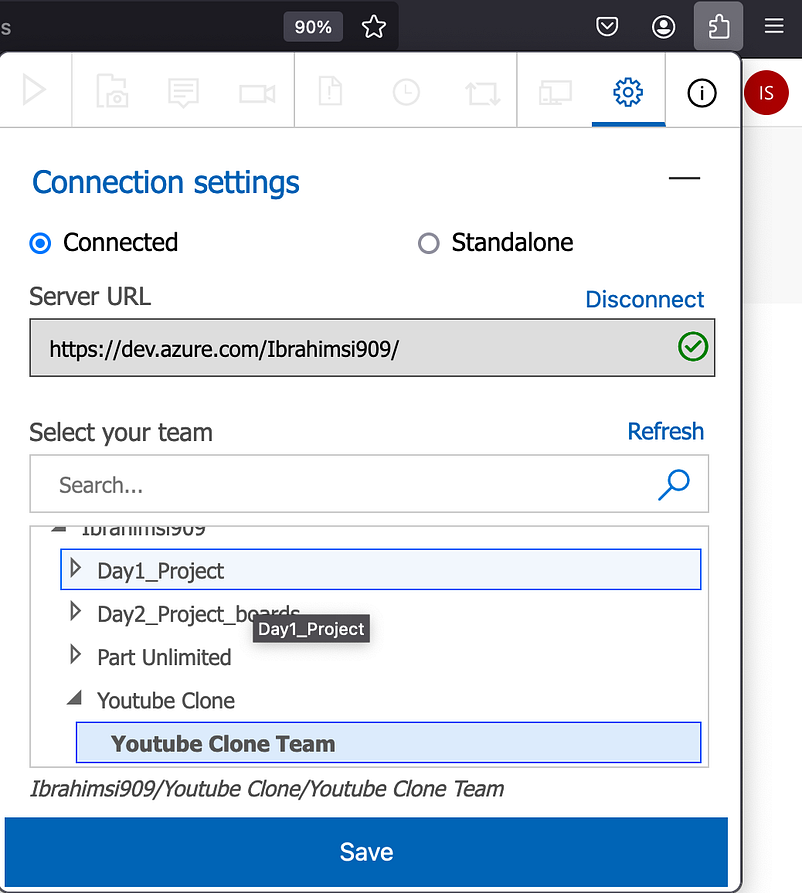
Select the project
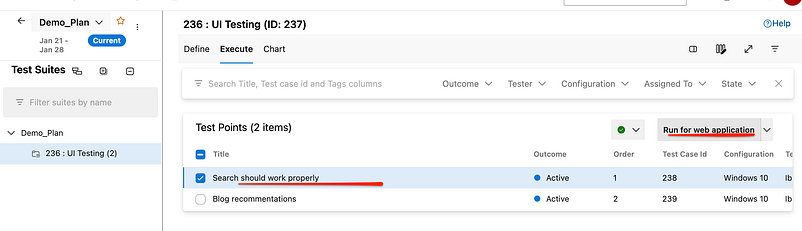
Execute the test case
Manually stop the test case
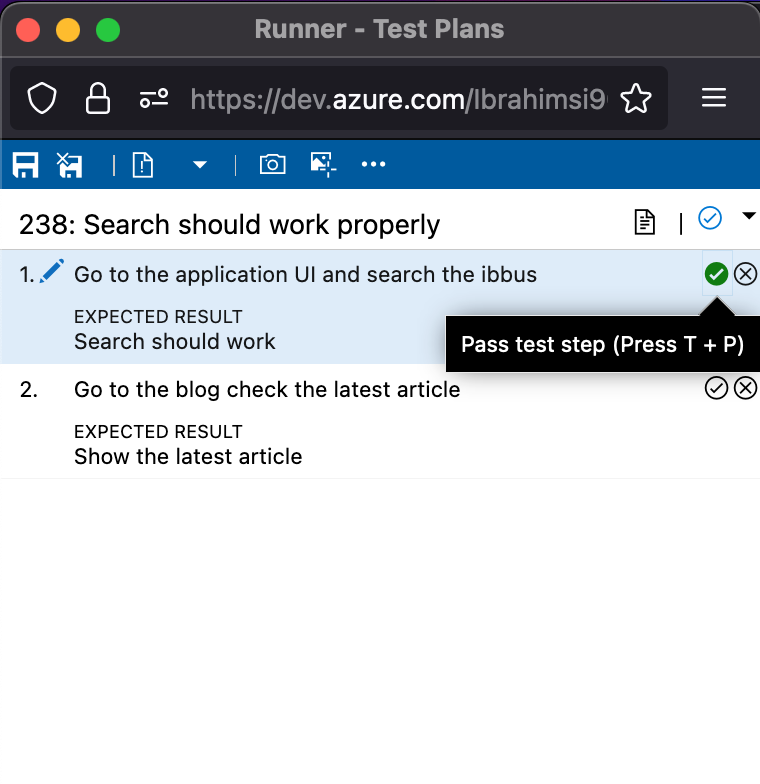
Capture the screenshot
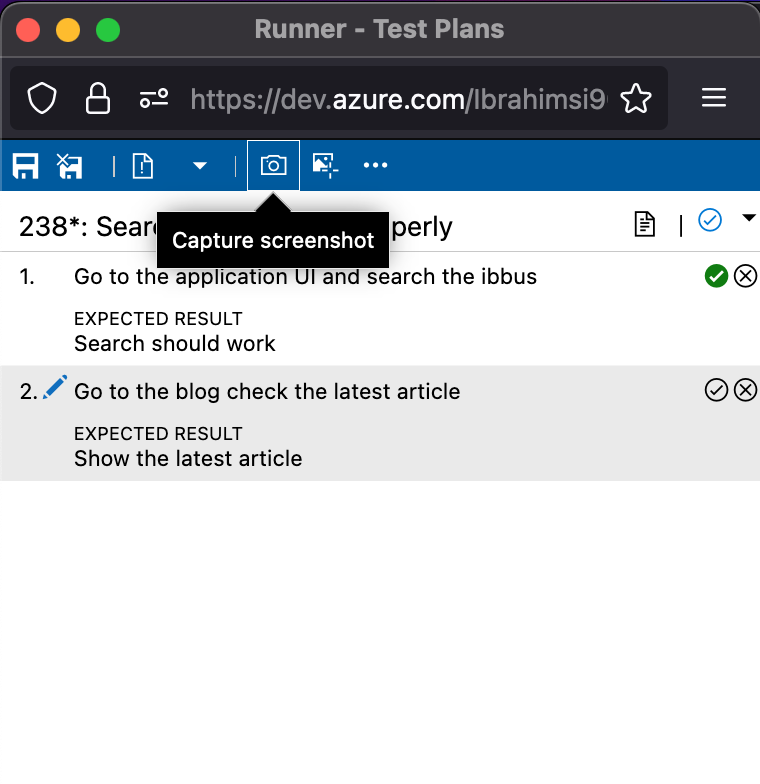
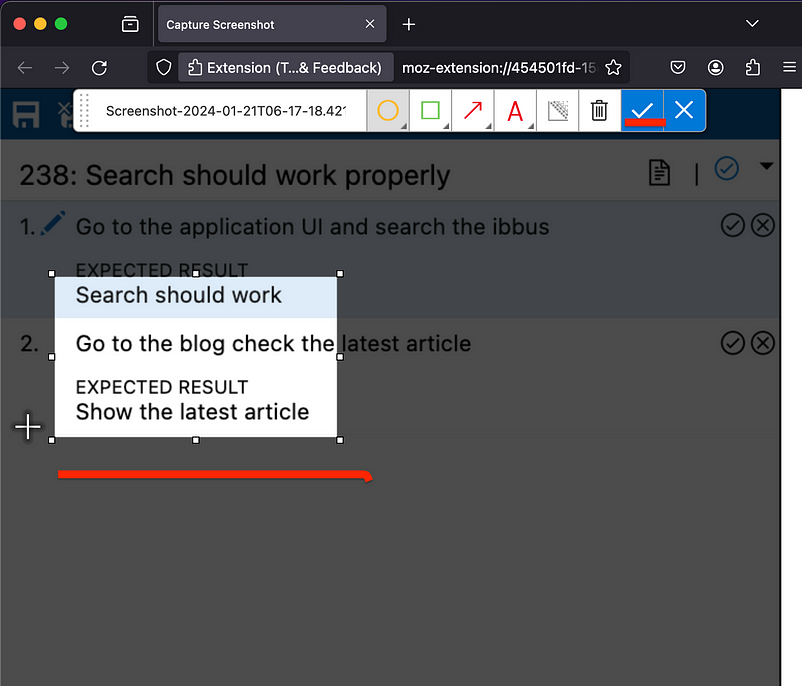
Finally check the test case
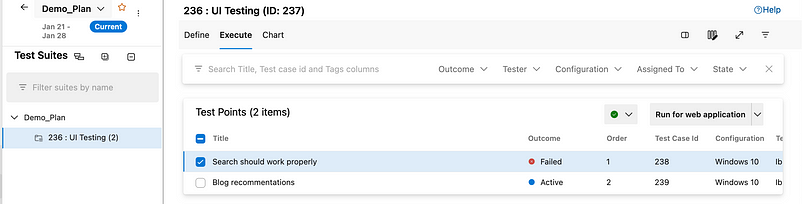
Again run the second test case
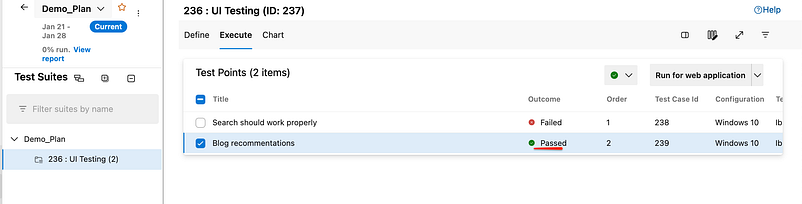
Go to the azure board check the work item
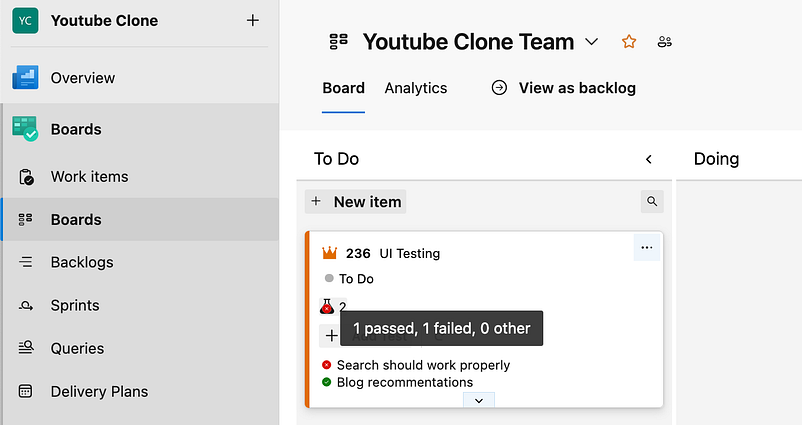
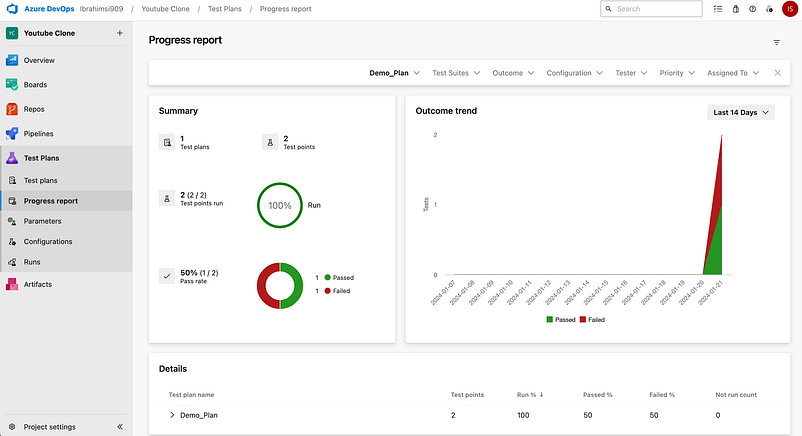
Finally check the report
Thank you 🙏 for taking the time to read our blog.