Azure DevOps - Basics

𝑪𝒍𝒐𝒖𝒅 𝒂𝒏𝒅 𝑫𝒆𝒗𝑶𝒑𝒔 𝑻𝒆𝒄𝒉 𝑪𝒐𝒎𝒎𝒖𝒏𝒊𝒕𝒚 || 𝑷𝒓𝒐𝑫𝒆𝒗𝑶𝒑𝒔𝑮𝒖𝒚 🤖 https://t.me/prodevopsguy 👋 Hi there! We are ProDevOpsGuy, a passionate DevOps enthusiast Tech Community with a strong belief in the power of automation and collaboration to drive innovation. 🚀 I thrive in bridging the gap between development and operations, creating seamless and efficient software delivery pipelines. My journey in the world of DevOps has allowed me to blend my technical skills with a knack for problem-solving, enabling me to contribute effectively to agile and dynamic environments. 💡 With a keen interest in continuous integration, continuous delivery (CI/CD), containerization, and orchestration, I've had the privilege to explore cutting-edge technologies like Docker, Kubernetes, Jenkins, and Ansible. I find joy in designing scalable and resilient infrastructures that enable teams to deploy applications faster and with greater confidence. 🌐 Beyond the tech realm, I'm an advocate for DevOps culture, emphasizing collaboration, communication, and a relentless pursuit of improvement. I'm always eager to connect with fellow professionals, exchange insights, and explore opportunities to collaborate on exciting projects. 📚 When I'm not tinkering with the latest DevOps tools, you can find me indulging in books on technology trends, hiking to rejuvenate, and occasionally experimenting with new coding challenges. 🌟 Let's connect! Whether you're looking to discuss DevOps methodologies, explore partnership opportunities, or simply share experiences, feel free to reach out. I'm excited to be part of the DevOps journey, driving excellence together.
DevOps is a suite of services you can implement end-to-end DevOps in your organization.
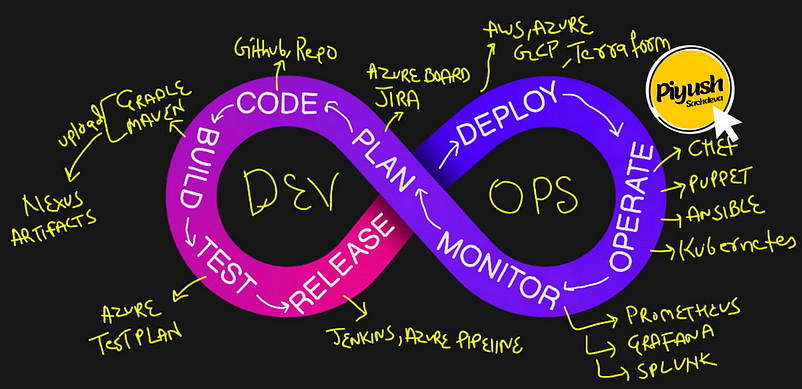
CI → Continuous integration (CI) is the practice of automating the integration of code changes from multiple contributors into a single software project.
CD → Continuous deployment (CD) is a software release process that uses automated testing to validate if changes to a codebase are correct and stable for immediate autonomous deployment to a production environment.
Continuous delivery (CD) is the automated delivery of completed code to environments like testing and development. CD provides an automated and consistent way for code to be delivered to these environments.
CM → Continuous monitoring is a systematic and ongoing process that uses automated tools and technologies to monitor the performance and security of an organization’s systems and processes.
Azure DevOps is a suite of services you can implement end-to-end DevOps in your organization. It includes services such as Azure Repos, Boards, Wiki, Build and Release pipelines, Test plans, Artifacts, etc.,
Azure DevOps Link — https://dev.azure.com
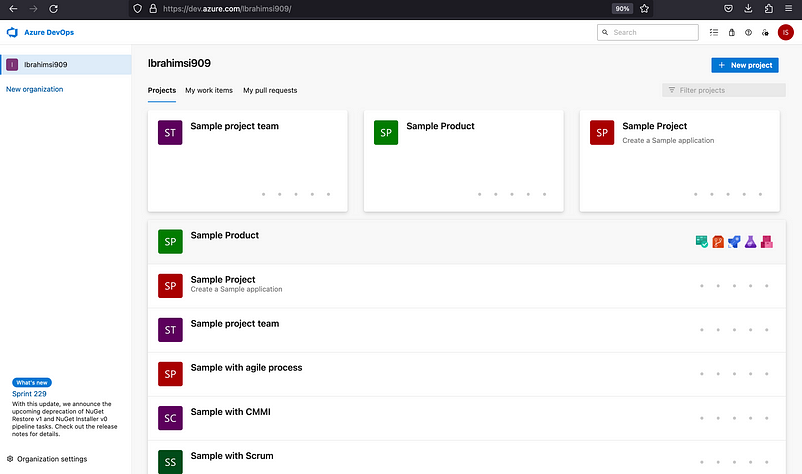
Logically separate the projects
Azure DevOps includes the following services:
Azure Boards: A project management tool that assists teams in planning, tracking, and discussing work.
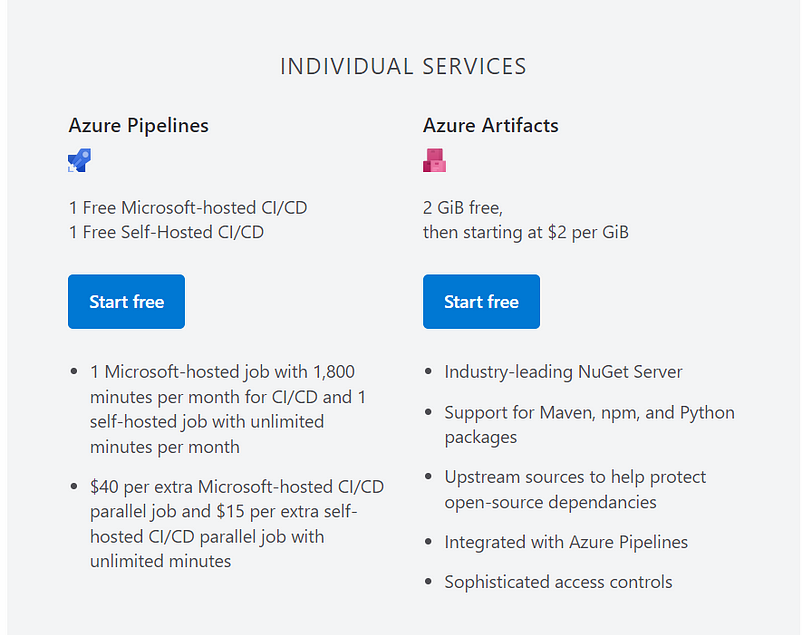
Azure Pipelines: A continuous integration/continuous delivery (CI/CD) platform that automates software development, testing, and deployment.
Azure Repos: A Git repository hosting service that offers code version control.
Azure Artifacts: A centralized storage and management system for software artifacts such as NuGet packages and Docker images.
Azure Test Plans: A test management solution that assists teams in planning, executing, and analyzing tests.
Azure Security Center: A security management tool that assists teams in identifying and mitigating security threats.
Charges are based on the number of users and build and deployment agents you purchased during the month, plus the actual usage of other services that were used.
In the basic plan, you will get the first 5 users free of cost with all the services within certain limits except the Azure test plan, for which you need a Basic+Test plan subscription.
Two types of services provide
Azure DevOps Services — Cloud offering
Azure DevOps Server — On-Premises implantation (or) Own data center
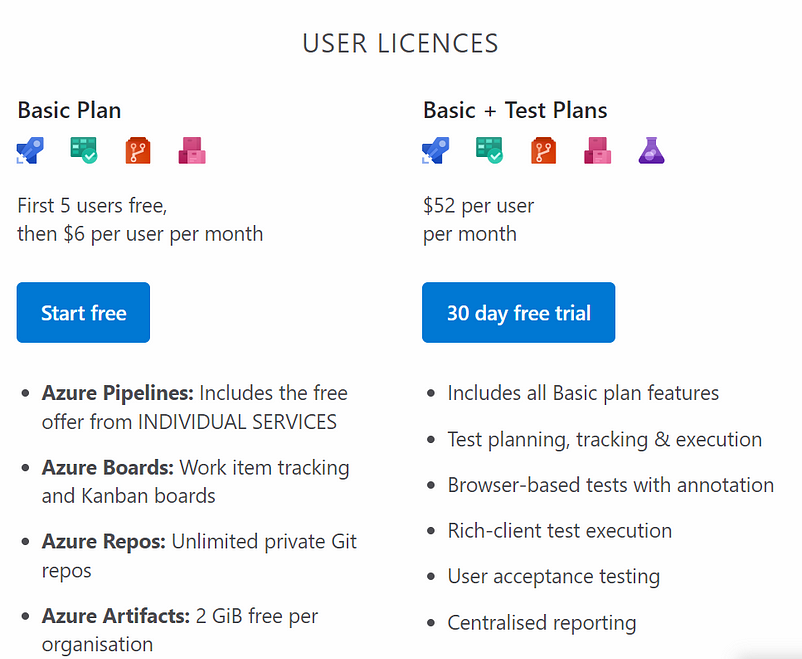
Service limit applicable to these plans
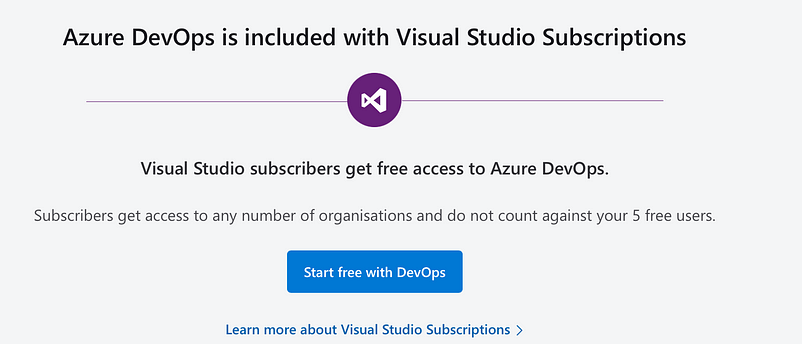
The Visual Studio IDE is a creative launching pad that you can use to edit, debug, and build code, and then publish an app.
How to create a project
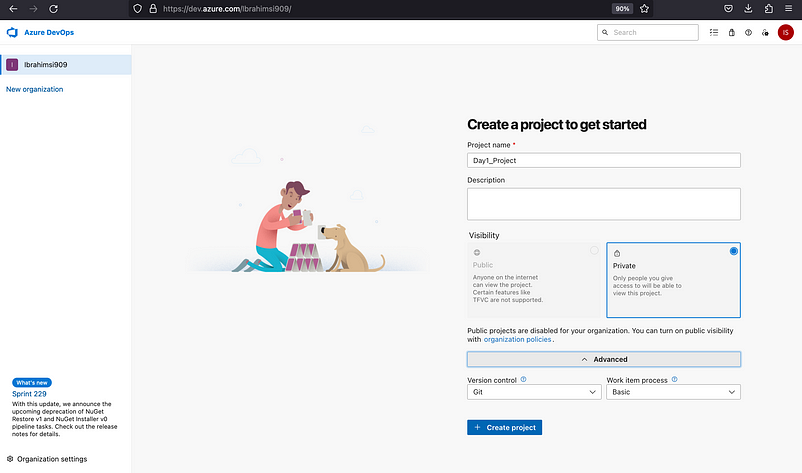
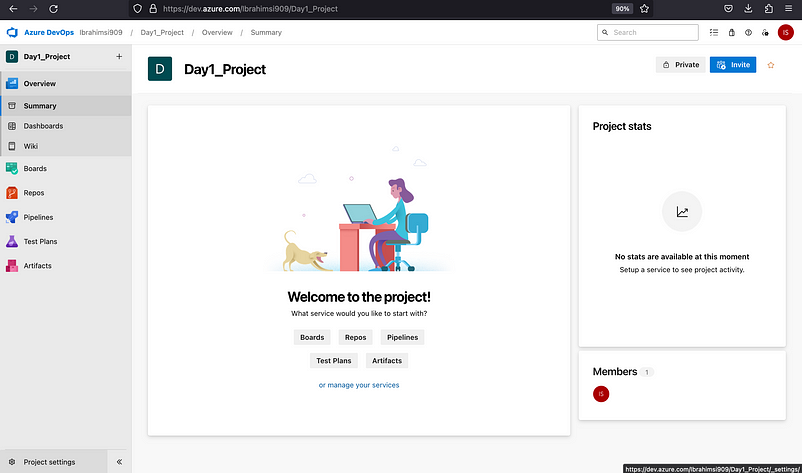
If you have any project side → Look bottom left side → Click Project setting you need to change.
Thanks for reading…I hope it would be more helpful for understand the Azure Basics.!
Follow us on Telegram: LINK