Azure DevOps Series - Azure Repos

𝑪𝒍𝒐𝒖𝒅 𝒂𝒏𝒅 𝑫𝒆𝒗𝑶𝒑𝒔 𝑻𝒆𝒄𝒉 𝑪𝒐𝒎𝒎𝒖𝒏𝒊𝒕𝒚 || 𝑷𝒓𝒐𝑫𝒆𝒗𝑶𝒑𝒔𝑮𝒖𝒚 🤖 https://t.me/prodevopsguy 👋 Hi there! We are ProDevOpsGuy, a passionate DevOps enthusiast Tech Community with a strong belief in the power of automation and collaboration to drive innovation. 🚀 I thrive in bridging the gap between development and operations, creating seamless and efficient software delivery pipelines. My journey in the world of DevOps has allowed me to blend my technical skills with a knack for problem-solving, enabling me to contribute effectively to agile and dynamic environments. 💡 With a keen interest in continuous integration, continuous delivery (CI/CD), containerization, and orchestration, I've had the privilege to explore cutting-edge technologies like Docker, Kubernetes, Jenkins, and Ansible. I find joy in designing scalable and resilient infrastructures that enable teams to deploy applications faster and with greater confidence. 🌐 Beyond the tech realm, I'm an advocate for DevOps culture, emphasizing collaboration, communication, and a relentless pursuit of improvement. I'm always eager to connect with fellow professionals, exchange insights, and explore opportunities to collaborate on exciting projects. 📚 When I'm not tinkering with the latest DevOps tools, you can find me indulging in books on technology trends, hiking to rejuvenate, and occasionally experimenting with new coding challenges. 🌟 Let's connect! Whether you're looking to discuss DevOps methodologies, explore partnership opportunities, or simply share experiences, feel free to reach out. I'm excited to be part of the DevOps journey, driving excellence together.
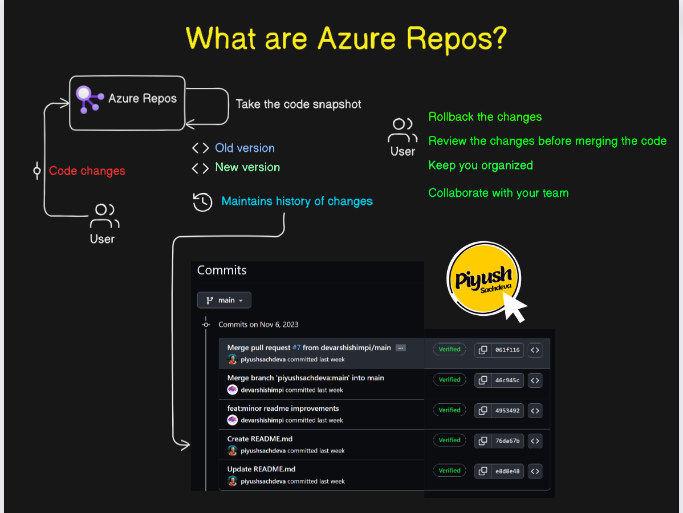
Azure Repos is a set of version control tools that you can use to manage your code. Whether you work with a team or independently, Azure Repos provides Git repositories (or) Team Foundation Version Control (TFVC) for source control of your code.
It’s integrated with Azure DevOps, a suite of tools that cover the entire software development lifecycle, from planning and project management to CI/CD and monitoring.
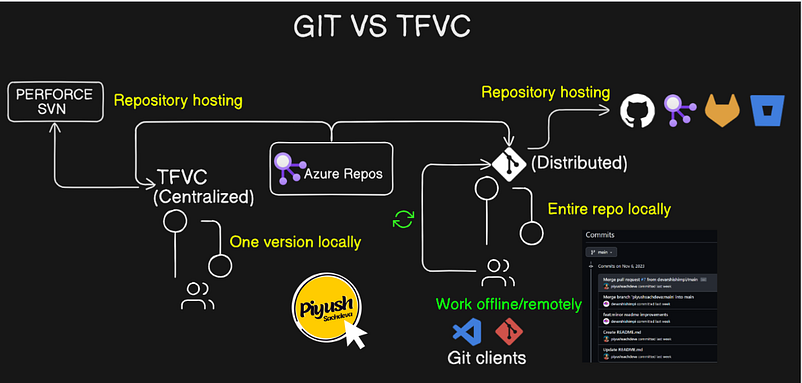
Azure Repos supports two types of Version Control:
Git
TFVC ( Team Foundation Version Control)
Git
Git is a version control system that lets you manage and keep track of your source code history. GitHub is a cloud-based hosting service that lets you manage Git repositories.
More Git 👉 Click the link
TFVC
Team Foundation Version Control (TFVC) is a centralized version control system. Typically, team members have only one version of each file on their dev machines. Historical data is maintained only on the server. Branches are path-based and created on the server.
Configure the VSCode Git client using
git config --global credential.helper wincred
git config --global user.name "Ibrahim S"
git config --global user.email Ibrahimsi909@hotmail.com

Goto the last project PartsUnlimited
Repos → Files → Clone → Clone in VS Code
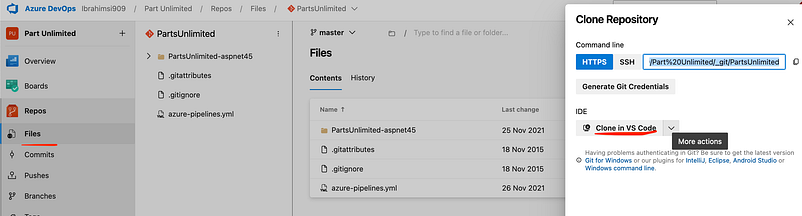
Clone the repository on VS Code
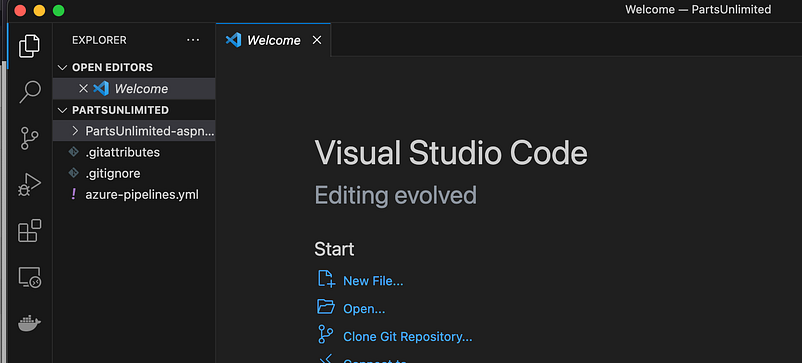
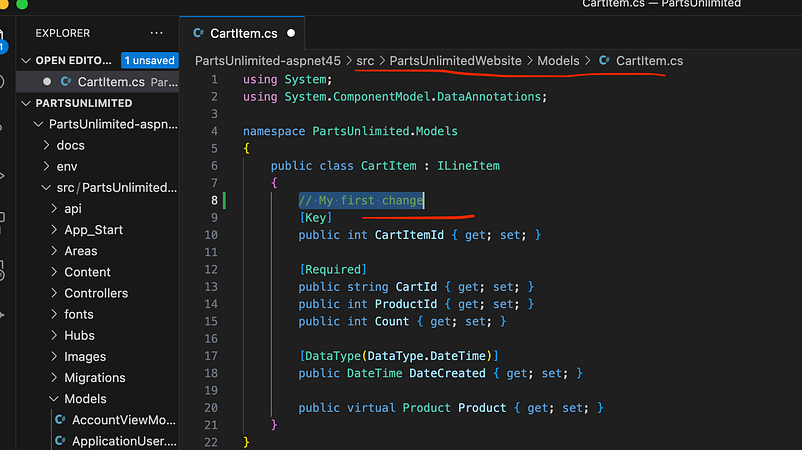
PartsUnlimited repository cloned successfully let make the changes to source code
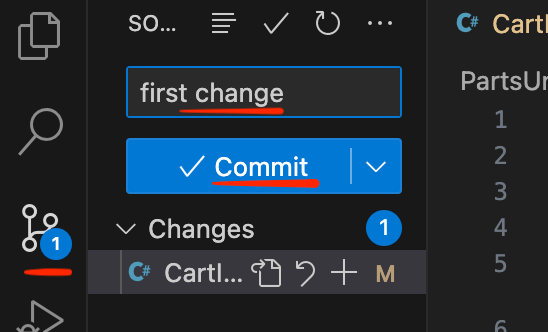
Save & Commit the code
Finaly sync the code to remote repository
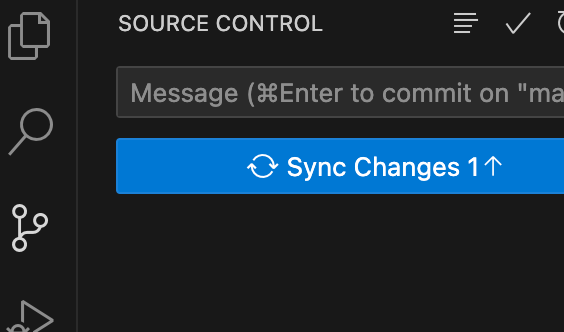
Goto the azure devops the code is commit or not?
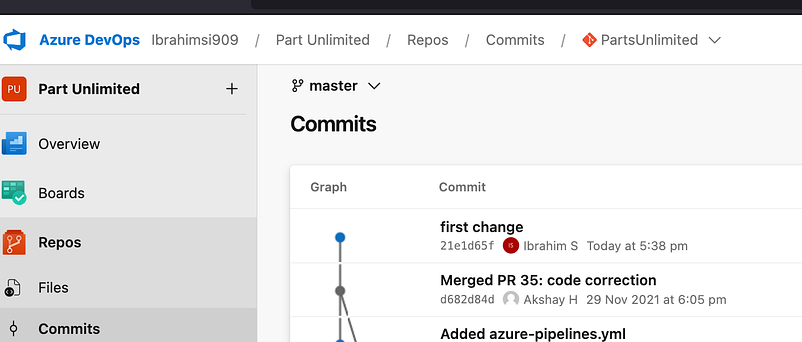
If you get the old code go to the previous commit code and you clone (or) download the old code

Branch is an independent line of development. It works as a pointer to your next commits. Whenever a new branch is created, Git creates a new pointer while keeping the original code base untouched.
Branch is a pointer to one specific commit, while a commit is a snapshot of your repository at a specific point in time
Five types of branches, each with different roles:
Main branch.
Feature branch (i.e., Topic branch)
Release branch.
Hotfix branch.
Develop branch (i.e., Integration branch)
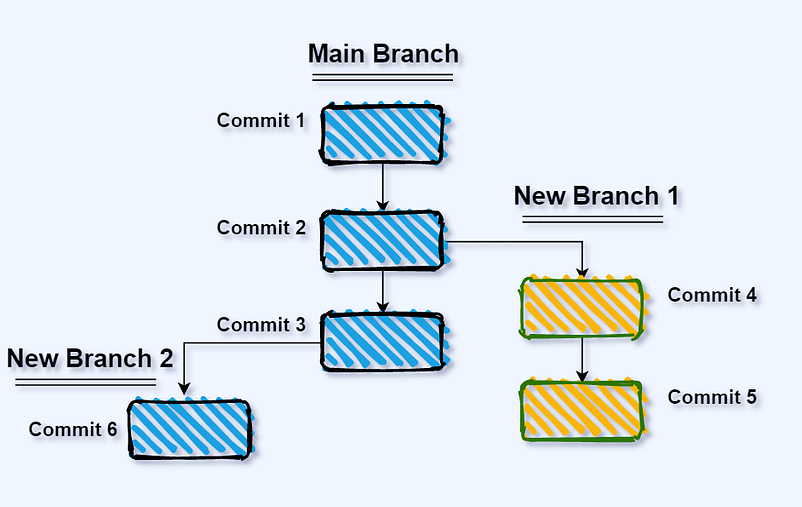
A local branch exists only on your local machine. All the changes you introduce and commit to your local repository are stored only on your local system. Create a branch using the below command.
git branch <branchname>
git checkout -b <branchname>
git branch <branchname> <tag>
git branch <branchname> <commit id>
Remote branches are how developers collaborate on the same project simultaneously. A remote branch exists in a remote repository (most commonly referred to as origin by convention) and is hosted on a platform such as GitHub.
git remote -v
git remote add origin git@github.com:github URL
git push origin master
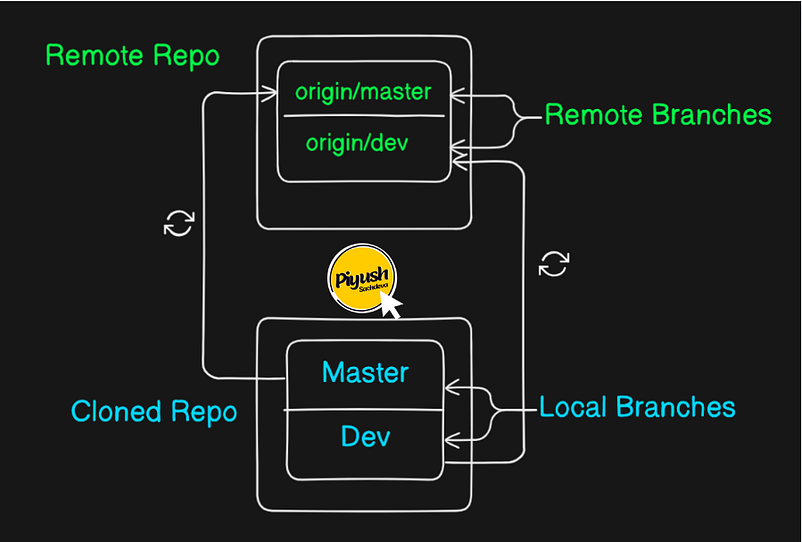
“Origin” remote refers to the default remote repository that is created when a Git repository is cloned. This remote repository is typically the central repository that is used to share changes and collaborate with other developers.
Find out the branch.
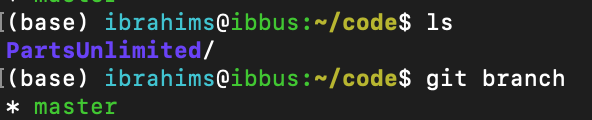
Create a new branch and switch out the new one.
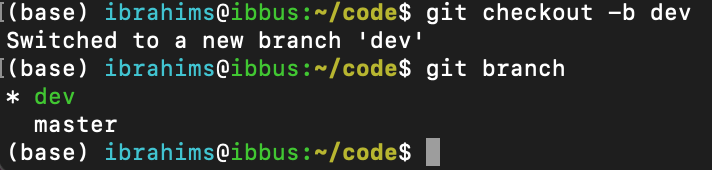
Created a branch in azure repo

Git pull copies changes from a remote repository directly into your working directory.
Git fetch command only copies changes into your local Git repo.
Locking a branch will make the branch read-only and ensures that no commits can be made to the branch.
Locking a branch prevents other users from changing the existing commit history.
Tags in git are valuable for marking significant points in your project’s history, documenting releases, and providing a clear reference for important milestones.
Pull Requests are specific requests to merge changes from one branch into another.
Thank you 🙏 for taking the time to read our blog.