Azure DevOps Series - Azure Artifacts

𝑪𝒍𝒐𝒖𝒅 𝒂𝒏𝒅 𝑫𝒆𝒗𝑶𝒑𝒔 𝑻𝒆𝒄𝒉 𝑪𝒐𝒎𝒎𝒖𝒏𝒊𝒕𝒚 || 𝑷𝒓𝒐𝑫𝒆𝒗𝑶𝒑𝒔𝑮𝒖𝒚 🤖 https://t.me/prodevopsguy 👋 Hi there! We are ProDevOpsGuy, a passionate DevOps enthusiast Tech Community with a strong belief in the power of automation and collaboration to drive innovation. 🚀 I thrive in bridging the gap between development and operations, creating seamless and efficient software delivery pipelines. My journey in the world of DevOps has allowed me to blend my technical skills with a knack for problem-solving, enabling me to contribute effectively to agile and dynamic environments. 💡 With a keen interest in continuous integration, continuous delivery (CI/CD), containerization, and orchestration, I've had the privilege to explore cutting-edge technologies like Docker, Kubernetes, Jenkins, and Ansible. I find joy in designing scalable and resilient infrastructures that enable teams to deploy applications faster and with greater confidence. 🌐 Beyond the tech realm, I'm an advocate for DevOps culture, emphasizing collaboration, communication, and a relentless pursuit of improvement. I'm always eager to connect with fellow professionals, exchange insights, and explore opportunities to collaborate on exciting projects. 📚 When I'm not tinkering with the latest DevOps tools, you can find me indulging in books on technology trends, hiking to rejuvenate, and occasionally experimenting with new coding challenges. 🌟 Let's connect! Whether you're looking to discuss DevOps methodologies, explore partnership opportunities, or simply share experiences, feel free to reach out. I'm excited to be part of the DevOps journey, driving excellence together.
Azure Artifacts enables developers to efficiently manage all their dependencies from one place. With Azure Artifacts, developers can publish packages to their feeds and share them within their team, across organizations, and even publicly across the internet.
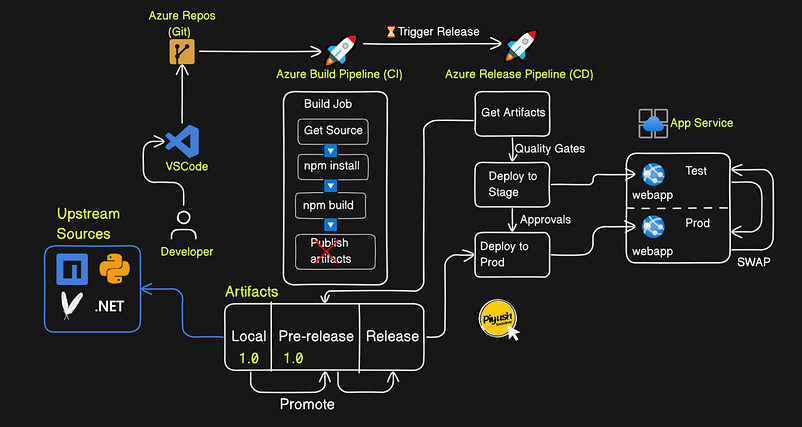
Azure Artifacts if you need to share packages within the same team, across organizations, or even publicly.
Create a new project

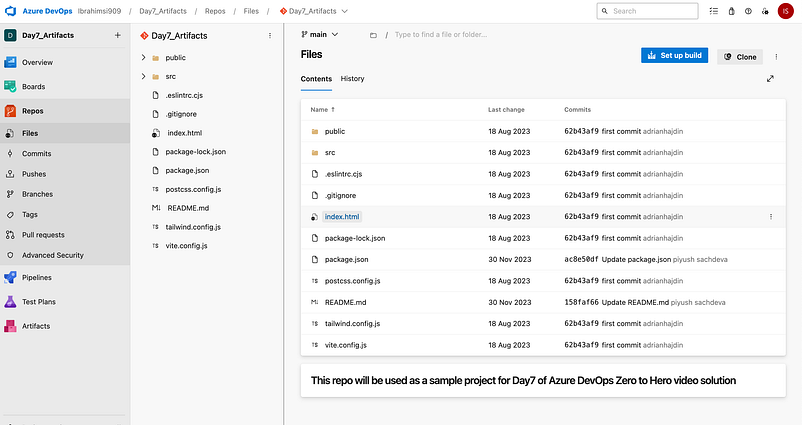
Goto azure repository → Import a repository
https://github.com/Ibrahimsi/nike_landing_page.git
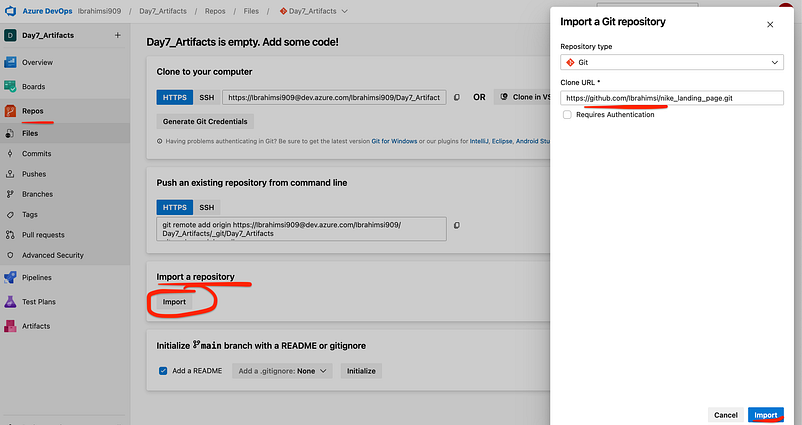
Successfully imported
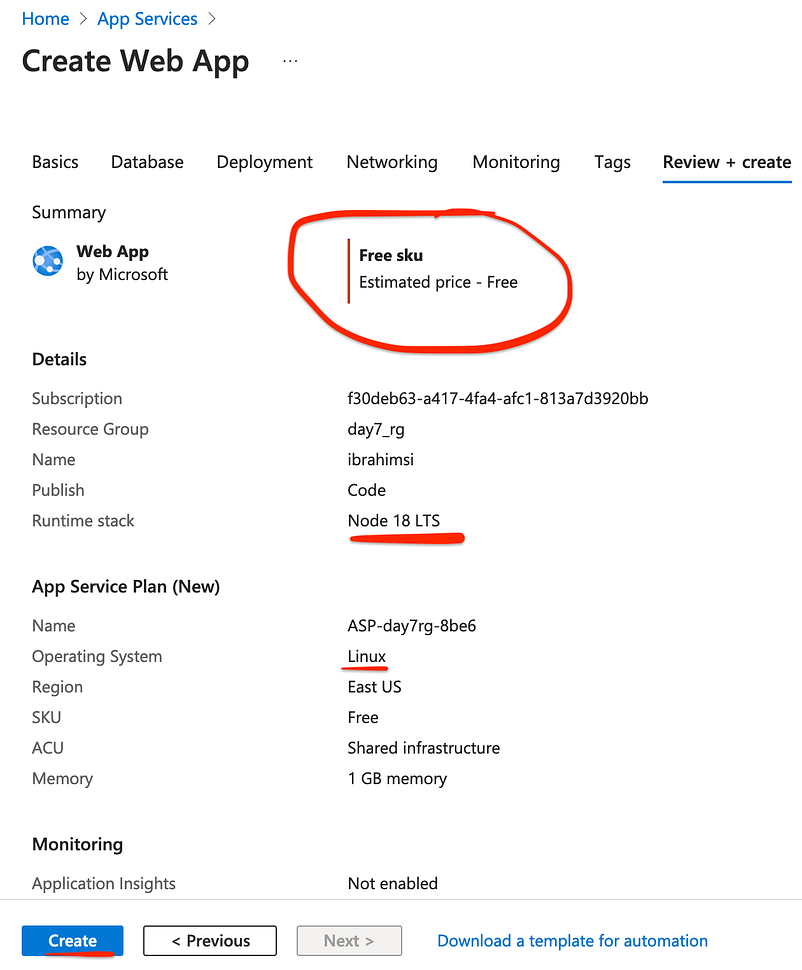
Create a Webapp in Azure portal
App Services → Create → Web App
Modify the configuration setting
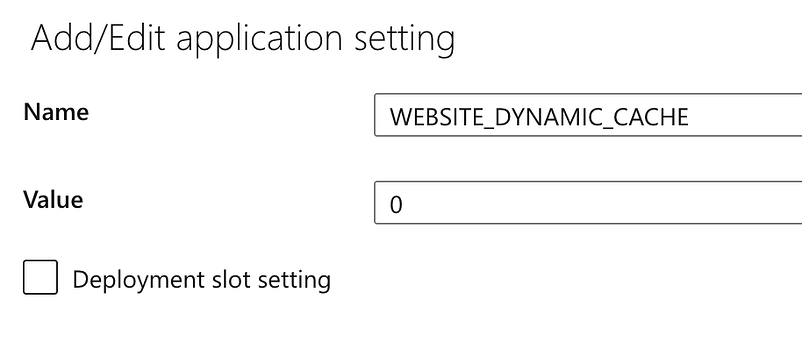
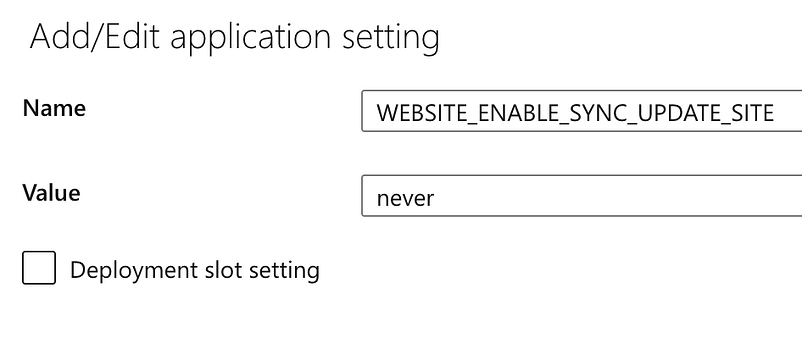
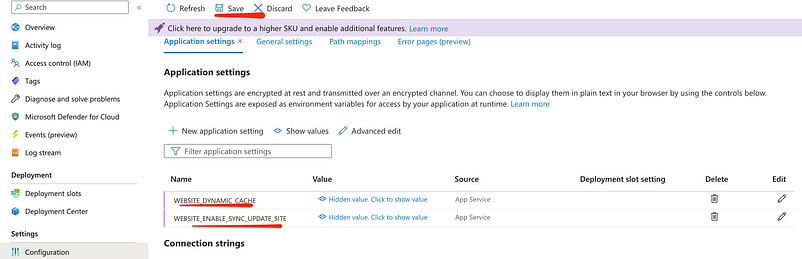
Note: You must set the app settings as below to disable all file caching:

Add 2 New application setting
Name: WEBSITE_DYNAMIC_CACHE
Value: 0
Name: WEBSITE_ENABLE_SYNC_UPDATE_SITE
Value: never
Save the changes
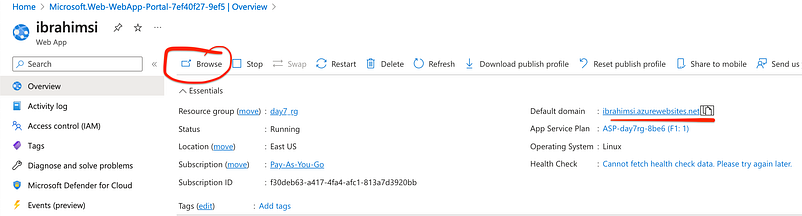
If you click the URL the page is goes to default web page
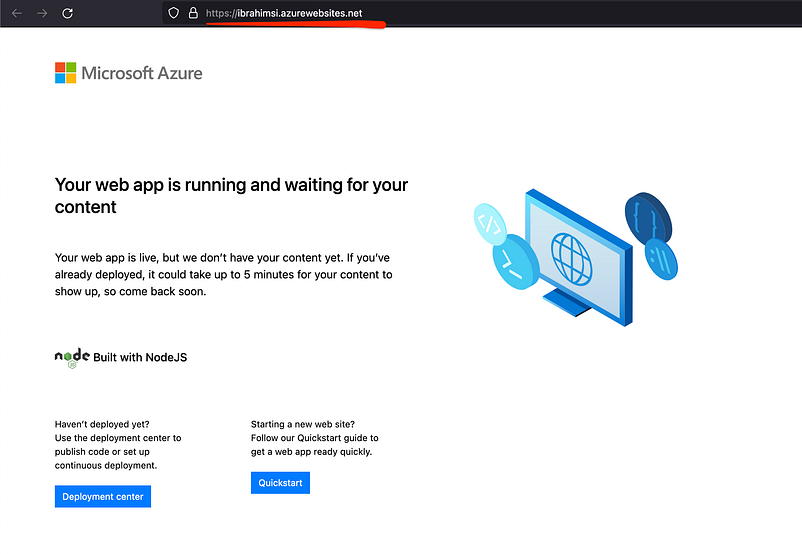
Default web page is running on Azure
Create a new pipeline
Set of automated processes and tools that allows both developers and operations professionals to work cohesively to build and deploy code to a production environment.
Create Pipeline → Azure Repos Git → Day7_Artifacts → Starter Pipeline
trigger:
- main

stages:
- stage: Build
  jobs:
  - job: Build
    pool:
      vmImage: 'ubuntu-latest'
    steps:
    - task: Npm@1
      inputs:
        command: 'custom'
        customCommand: 'install -D tailwindcss postcss autoprefixer'
    - task: Npm@1
      inputs:
        command: 'custom'
        customCommand: 'run build'
Organizational constructs that allow you to store, manage, and group your packages and control who to share it with.
Let’s Create a artifacts feed
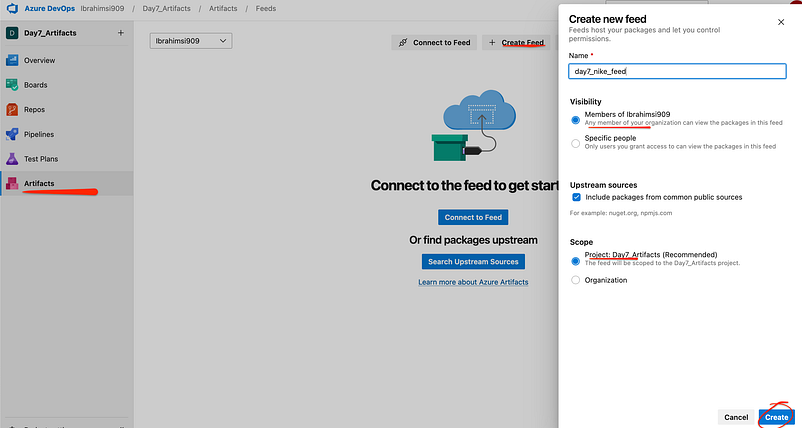
Created
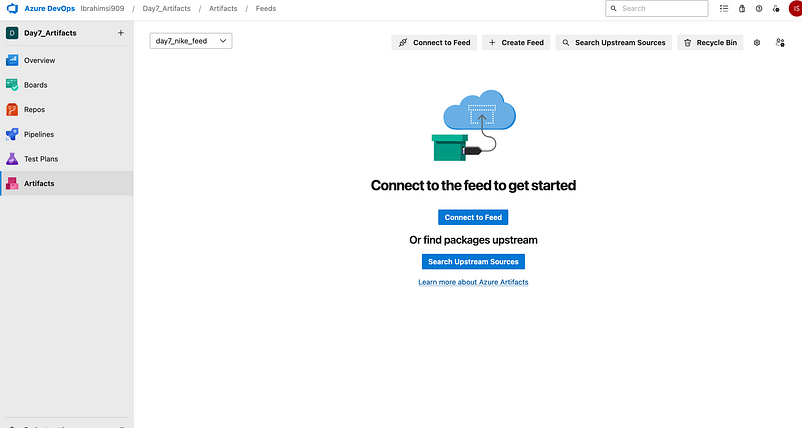
Again goto the pipelines click show assistant

npm stands for Node Package Manager. It’s a library and registry for JavaScript software packages.
Add NPM
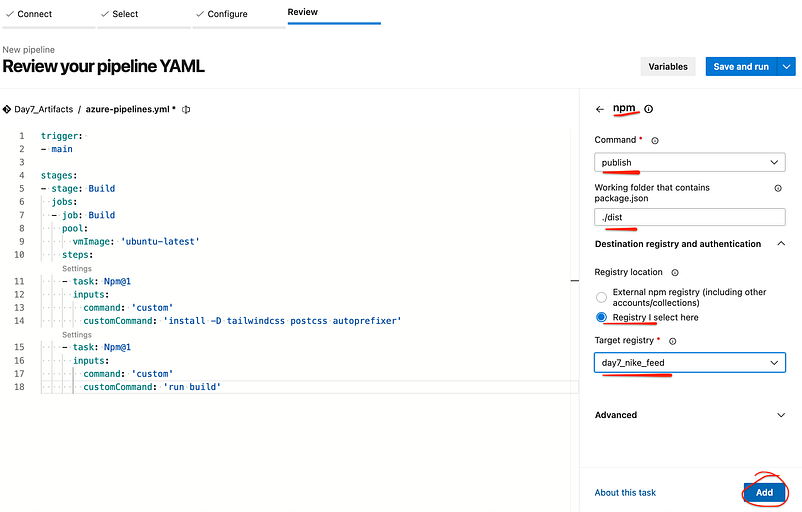
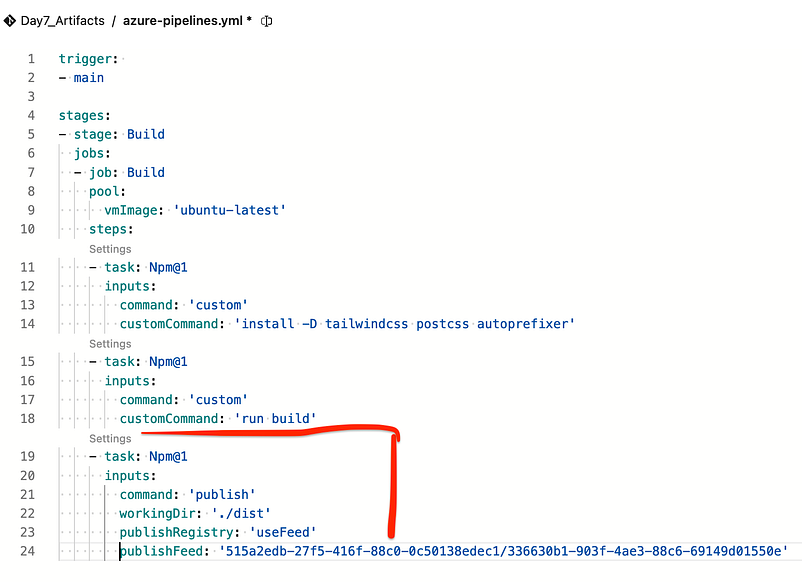
Add NPM the code automatically add to the pipelines
trigger:
- main

stages:
- stage: Build
  jobs:
  - job: Build
    pool:
      vmImage: 'ubuntu-latest'
    steps:
    - task: Npm@1
      inputs:
        command: 'custom'
        customCommand: 'install -D tailwindcss postcss autoprefixer'
    - task: Npm@1
      inputs:
        command: 'custom'
        customCommand: 'run build'
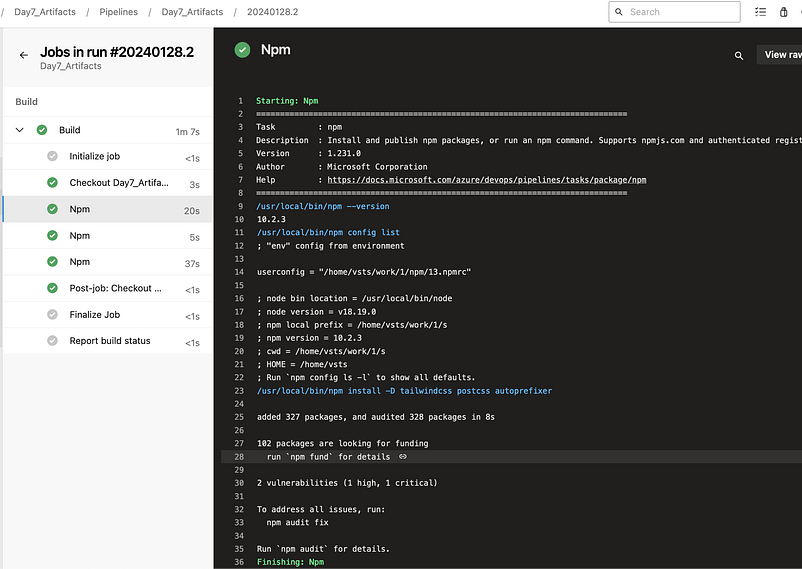
    - task: Npm@1
      inputs:
        command: 'publish'
        workingDir: './dist'
        publishRegistry: 'useFeed'
        publishFeed: '515a2edb-27f5-416f-88c0-0c50138edec1/336630b1-903f-4ae3-88c6-69149d01550e'
Pipeline Code
Finally save the run Got some error
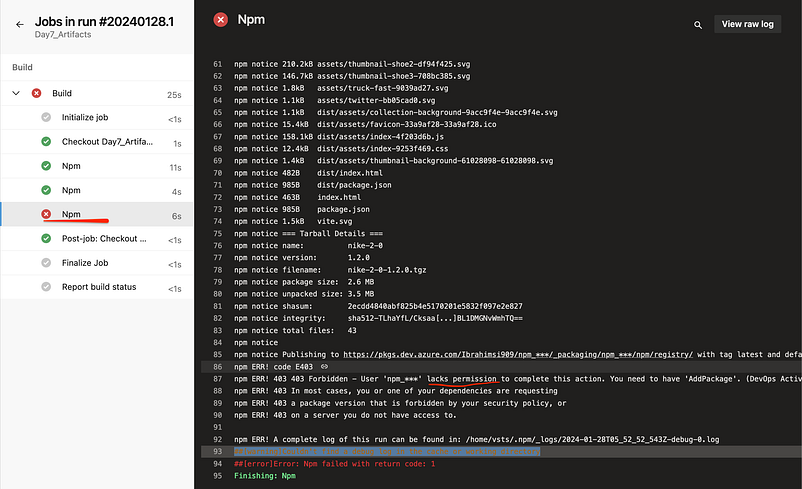
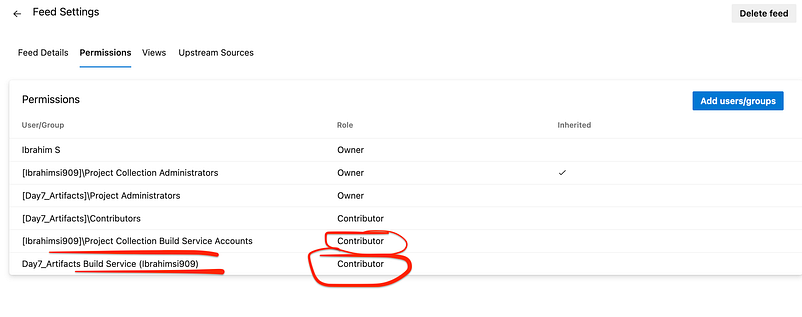
Goto azure artifacts given to the contributor access
Click the Feed Settings

Remove the old one
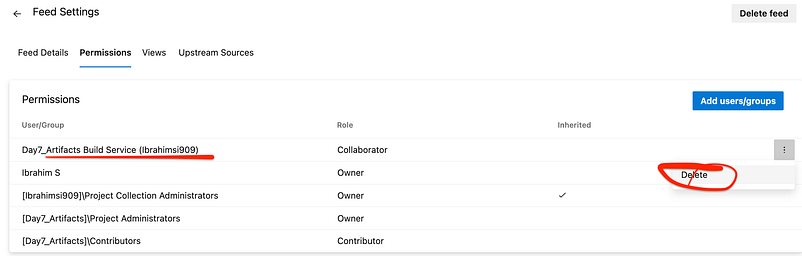
Add the → contributor permission
Enables users to manage personal views, edit items and user information, delete versions in existing lists and document libraries and add, remove, and update personal Web Parts.
Again run the pipeline. Change the version 1.3
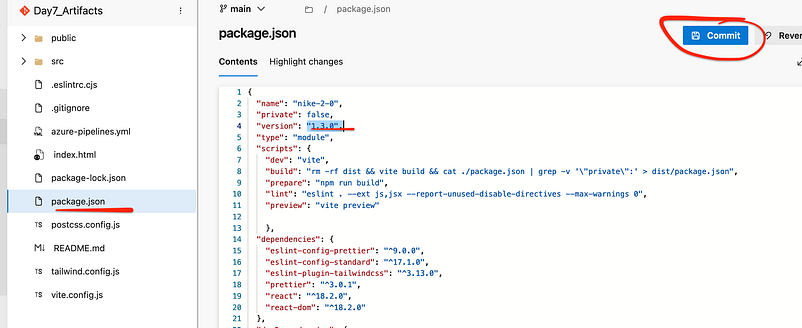
Automatically trigger the pipeline

Goto the azure feed

Create a release pipeline
A Release Pipeline consumes the Artifacts and conducts follow-up actions within a multi-staging system.
Release pipeline is a process to ship committed code into production by incorporating CI/CD, automated testing, and finally, software release.
Pipelines → Releases → New Pipeline → Select → Azure App Service deployment

Given to the name → Deployment
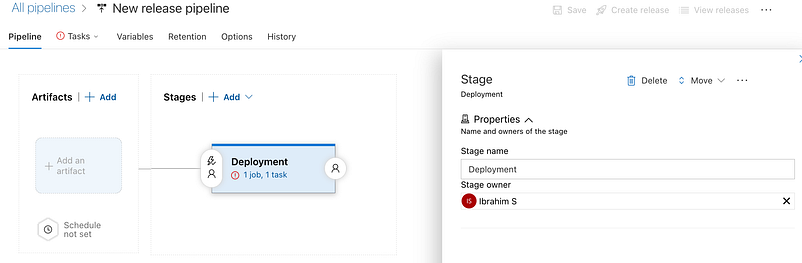
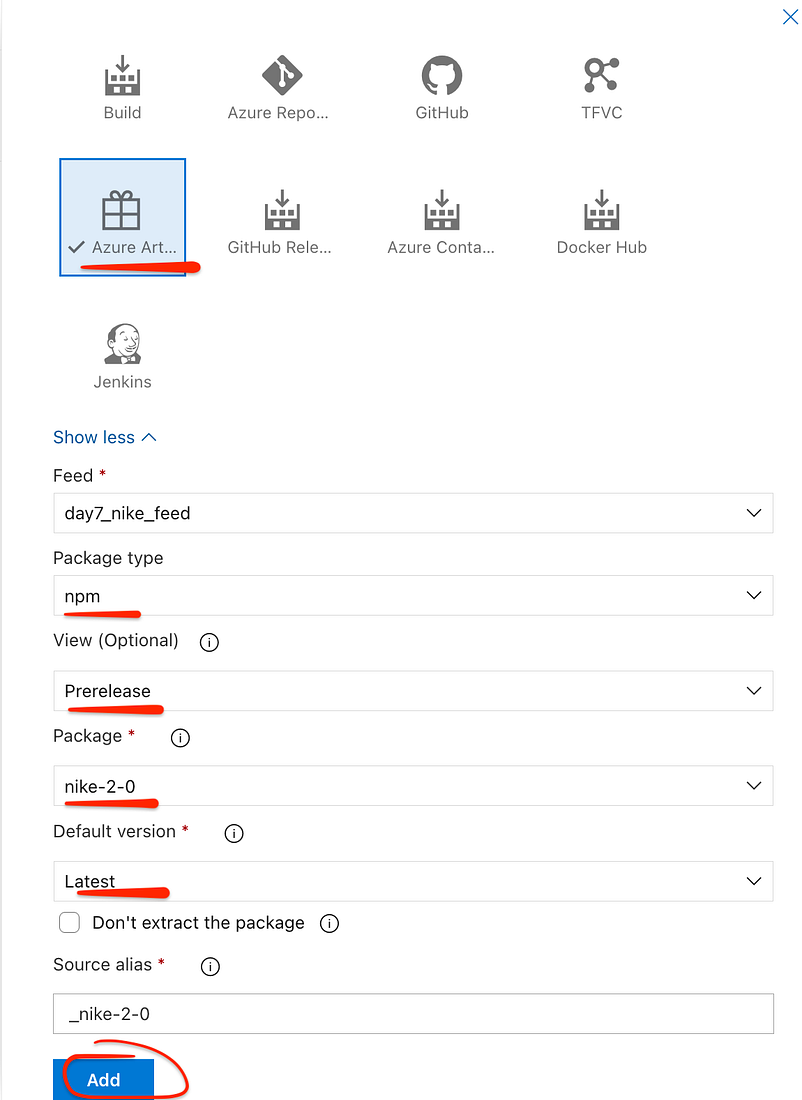
Click Add an artifact → Azure artifacts
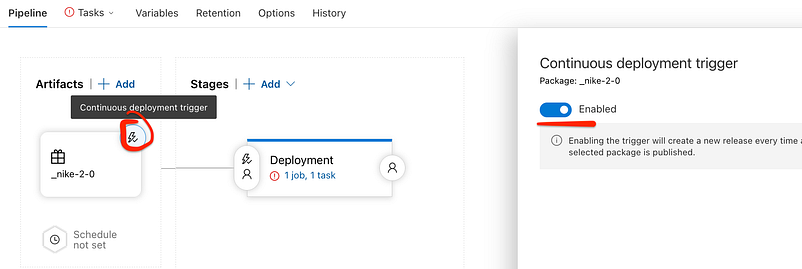
Enable the continuous deployment trigger
A trigger consists of a specified component, deployment process, and user.
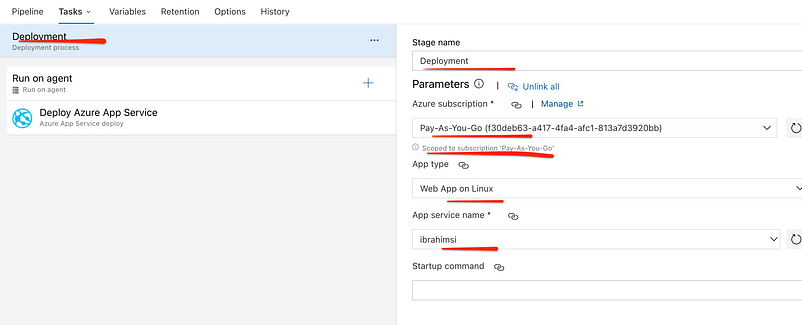
Enter the stage name and select the subscription, Service name…
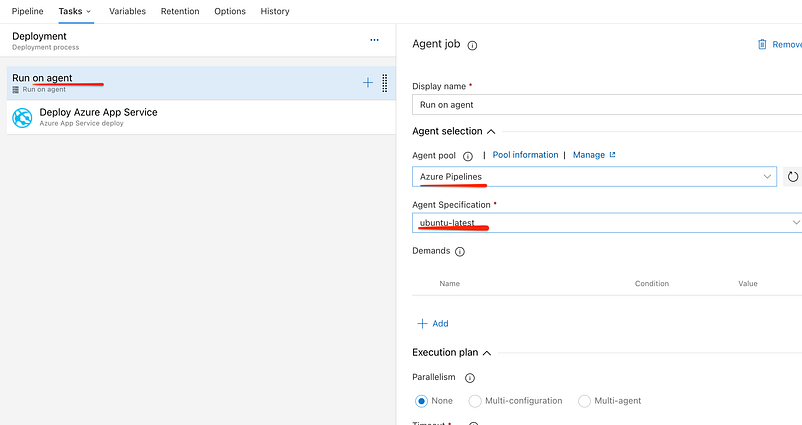
Select the azure pipelines on agent pool.
An agent is a service that runs the jobs defined in your pipeline. The execution of these jobs can occur directly on the agent’s host machine or in containers.
Deploy Azure App Service
Added to the some script on app service.
cp -rf /home/site/wwwroot/package/* /home/site/wwwroot/
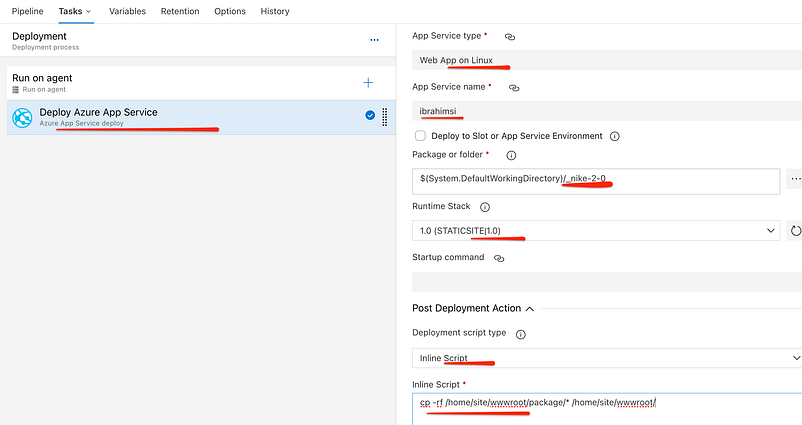
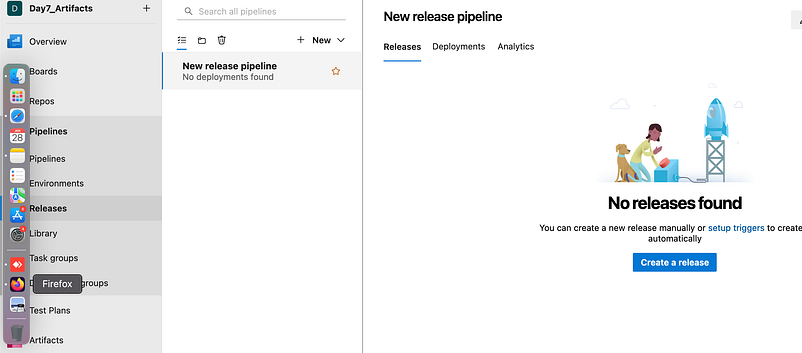
Save the all setting. Check the release pipelines there is no create
Goto azure artifact promote artifactory
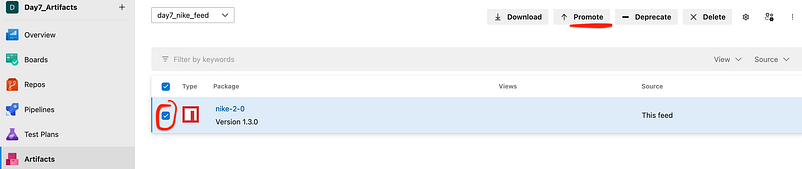
Pre-release means software, online services, and additional products and features that are provided for preview, beta, (or) early access versions. Click that Prerelease

Check the release pipeline

Deploy the stages
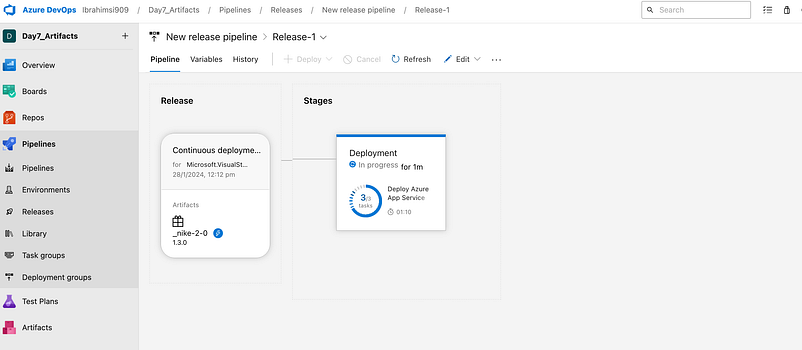
Job is completed
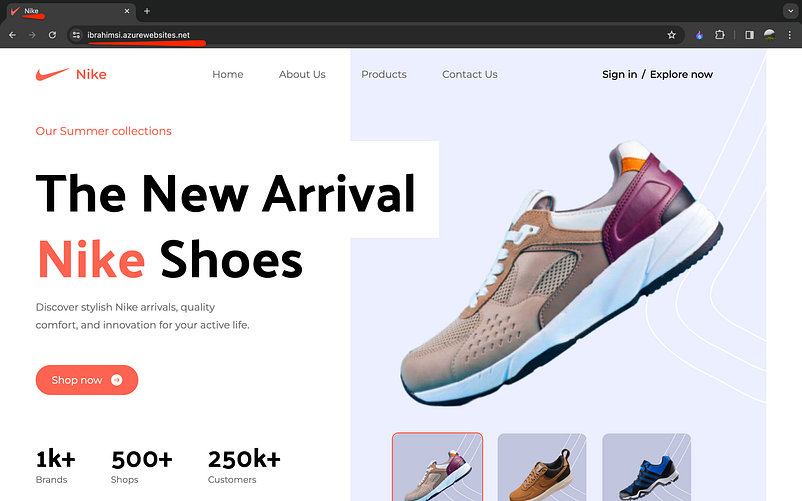
Check the URL
KUDU Console is a debugging service for Azure platform which allows you to explore your web app and surf the bugs present on it, like deployment logs, memory dump, and uploading files to your web app, and adding JSON endpoints to your web apps…
Kudu gives you helpful information about your App Service app, Such as App settings. Connection strings. Environment variables.
Diagnostic and troubleshooting purposes when your function or function host fails.
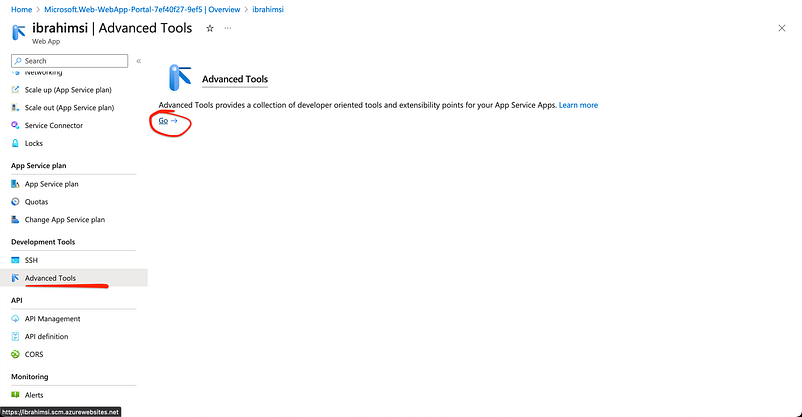
Redirect the console

Click an SSH you should able to the access in web app

File created before 10 minutes
Thank you 🙏 for taking the time to read our blog.