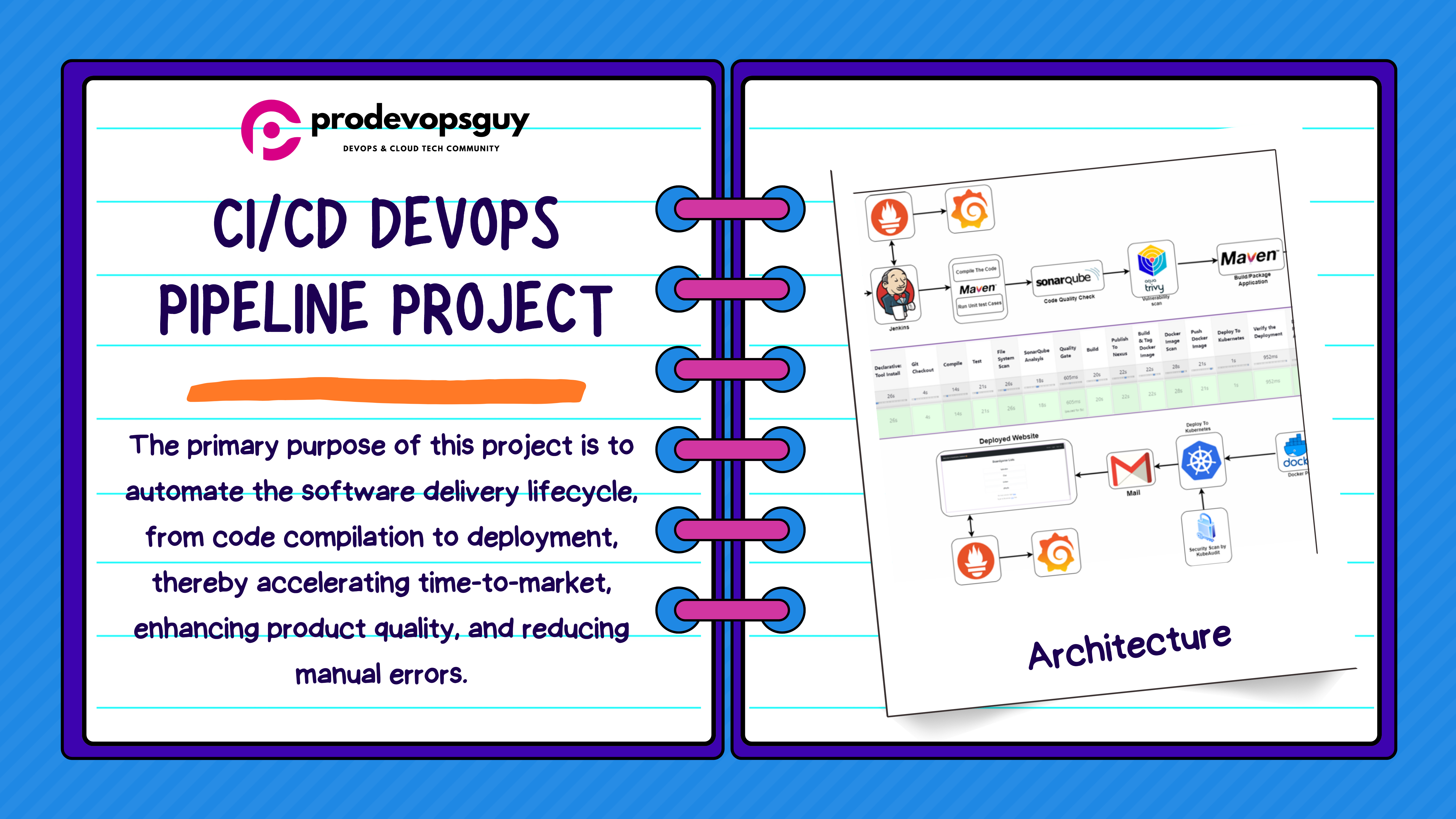
Azure DevOps Series - Azure Pipeline

𝑪𝒍𝒐𝒖𝒅 𝒂𝒏𝒅 𝑫𝒆𝒗𝑶𝒑𝒔 𝑻𝒆𝒄𝒉 𝑪𝒐𝒎𝒎𝒖𝒏𝒊𝒕𝒚 || 𝑷𝒓𝒐𝑫𝒆𝒗𝑶𝒑𝒔𝑮𝒖𝒚 🤖 https://t.me/prodevopsguy 👋 Hi there! We are ProDevOpsGuy, a passionate DevOps enthusiast Tech Community with a strong belief in the power of automation and collaboration to drive innovation. 🚀 I thrive in bridging the gap between development and operations, creating seamless and efficient software delivery pipelines. My journey in the world of DevOps has allowed me to blend my technical skills with a knack for problem-solving, enabling me to contribute effectively to agile and dynamic environments. 💡 With a keen interest in continuous integration, continuous delivery (CI/CD), containerization, and orchestration, I've had the privilege to explore cutting-edge technologies like Docker, Kubernetes, Jenkins, and Ansible. I find joy in designing scalable and resilient infrastructures that enable teams to deploy applications faster and with greater confidence. 🌐 Beyond the tech realm, I'm an advocate for DevOps culture, emphasizing collaboration, communication, and a relentless pursuit of improvement. I'm always eager to connect with fellow professionals, exchange insights, and explore opportunities to collaborate on exciting projects. 📚 When I'm not tinkering with the latest DevOps tools, you can find me indulging in books on technology trends, hiking to rejuvenate, and occasionally experimenting with new coding challenges. 🌟 Let's connect! Whether you're looking to discuss DevOps methodologies, explore partnership opportunities, or simply share experiences, feel free to reach out. I'm excited to be part of the DevOps journey, driving excellence together.
Azure Pipelines automatically builds and tests code projects. It supports all major languages and project types and combines continuous integration, continuous delivery, and continuous testing to build, test, and deliver your code to any destination.
An Azure SPN is a security identity used by user-created applications, services, and automation tools to access specific Azure resources.
This access is restricted by the roles assigned to the service principal, giving you control over which resources can be accessed and at which level.
The service principal name (SPN) is the name that a client uses to identify a service for mutual authentication.
Clone the repository https://github.com/Ibrahimsi/Youtube_clone.git
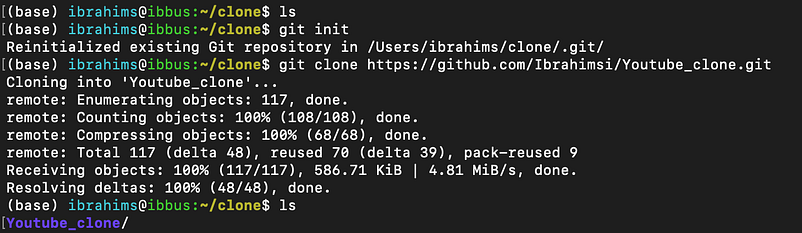
Go to the azure devops portal create a new project
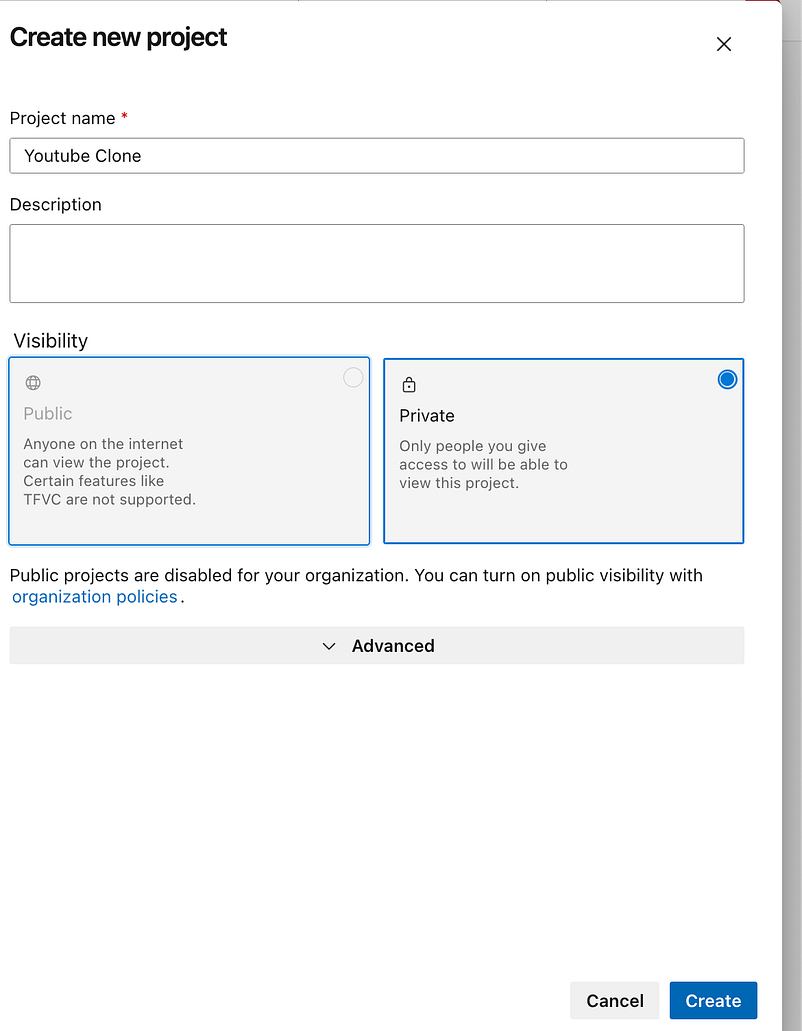
Go to the azure repo copy the code
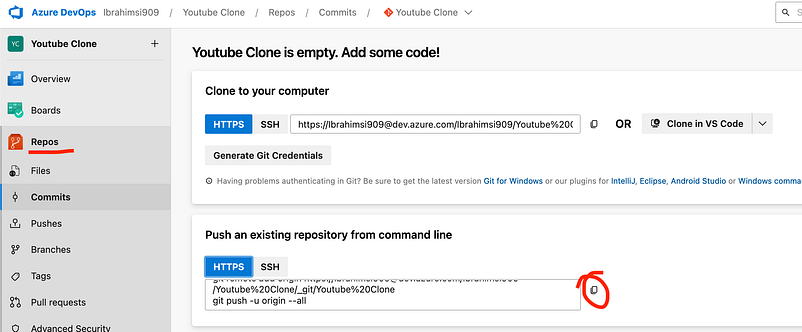
Paste the location of the folder terminal

Check the code is update for azure repo
git remote show origin
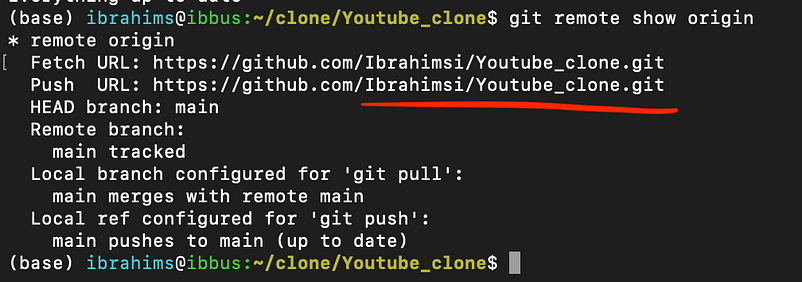
Not update the remote repository remove that and again add to the azure devops remote repo.
git remote remove origin
git remote add origin https://Ibrahimsi909@dev.azure.com/Ibrahimsi909/Youtube%20Clone/_git/Youtube%20Clone
git push -u origin --all
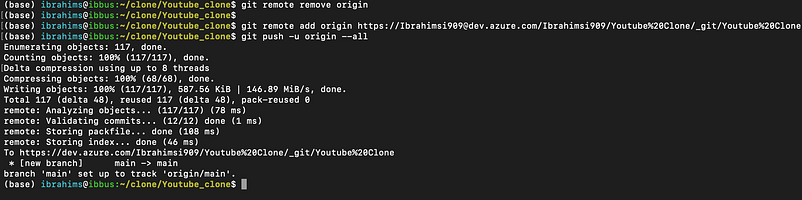
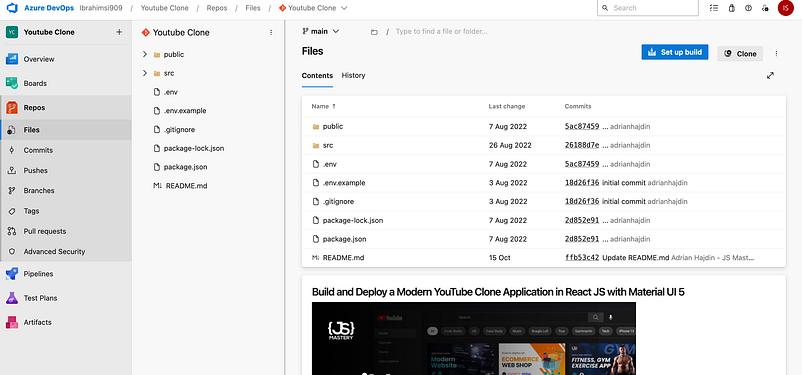
Check devops portal the code is updated?
Create a webapp from azure portal
Azure App Services is a platform for building, deploying, and scaling web applications and services. It offers a variety of services, each with its own unique capabilities and use cases.
Azure App Service is an HTTP-based service for hosting web applications, REST APIs, and mobile back ends. You can develop in your favorite language, be it . NET, . NET Core, Java, Node. js, PHP, and Python.
Go to → weapp → Create a webapp
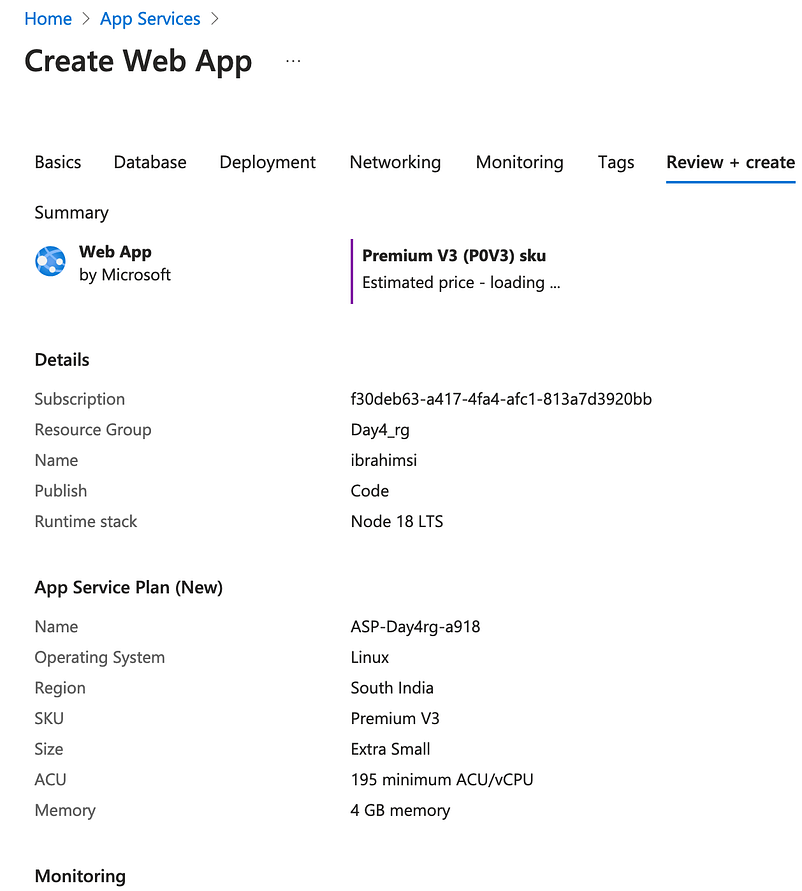
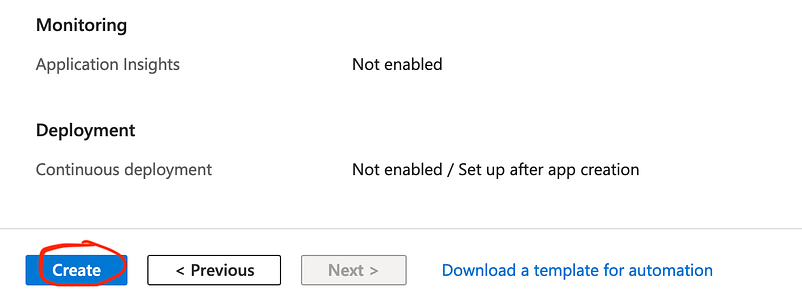
Once created a webapp the website is ready
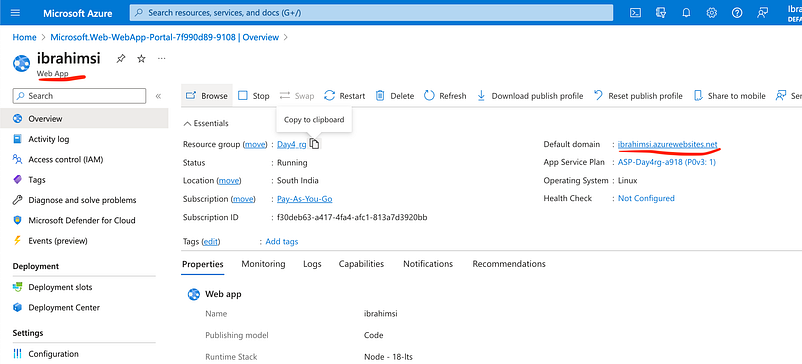
Check the default domain ibrahimsi.azurewebsites.net
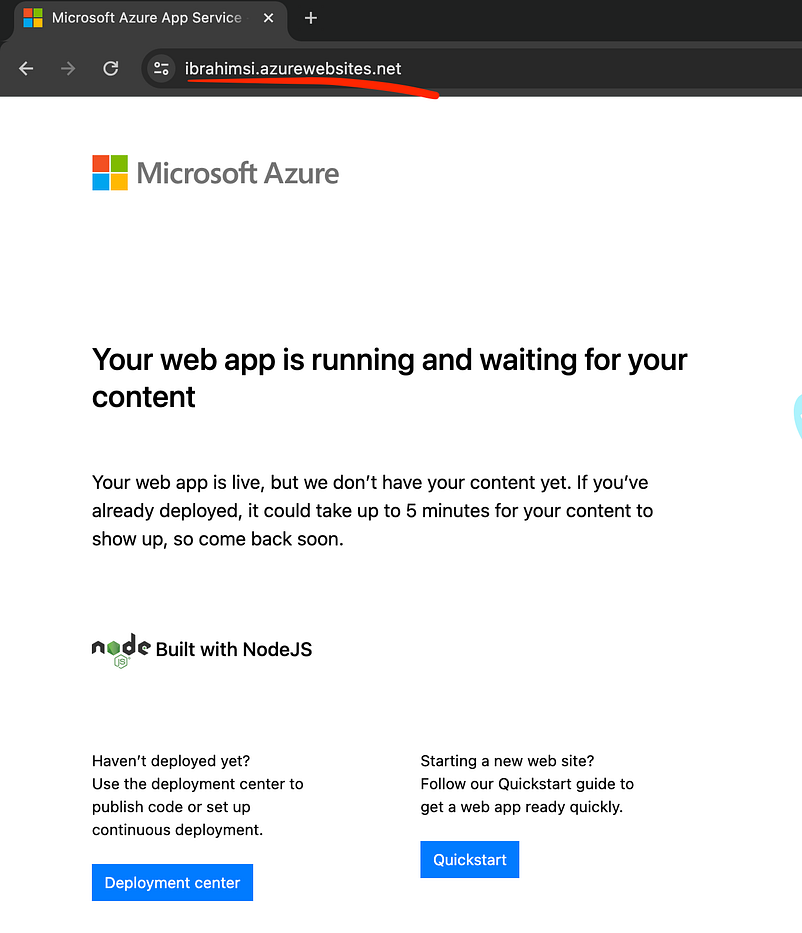
Create a Pipeline
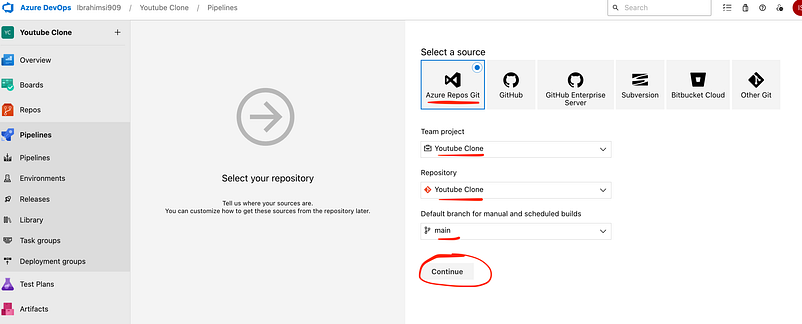
Go to pipeline → Create a pipeline → Click classic editor
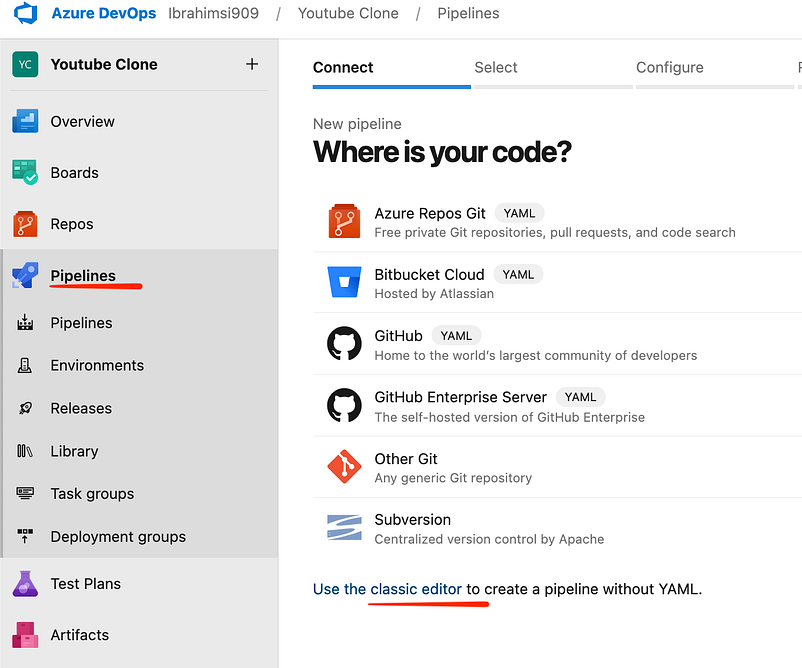
Select Azure Repos Git → Select repo → Click Continue
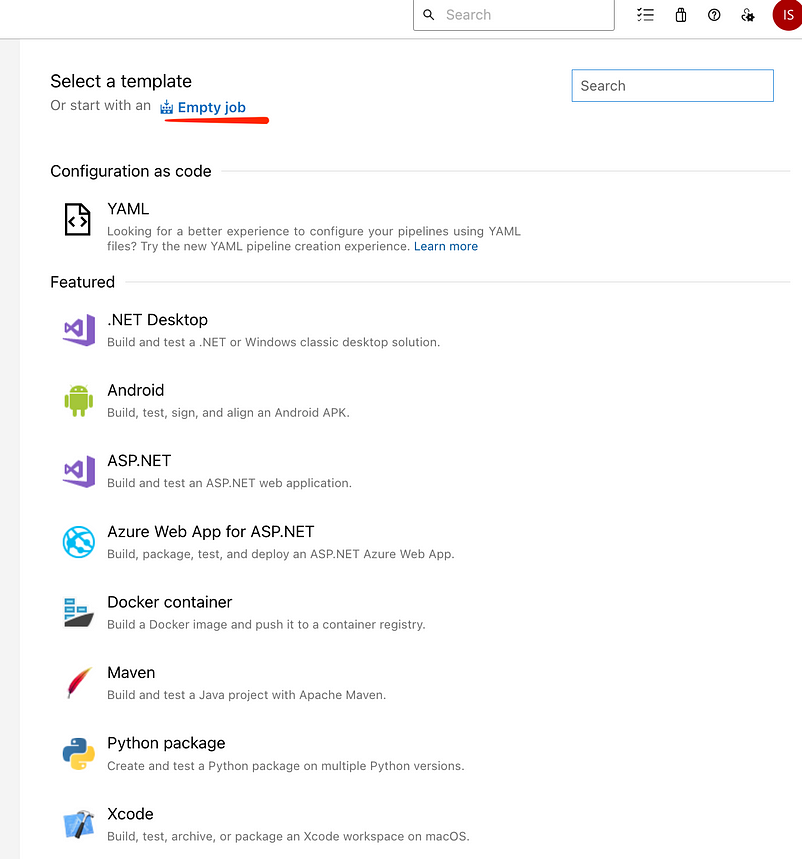
Select a template click Empty job
Add another agent
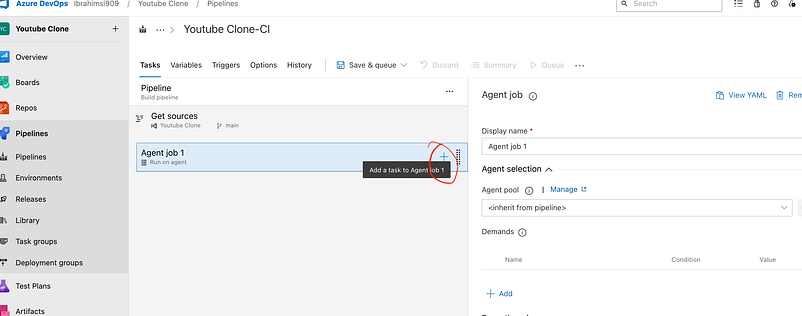
Add the agent
npm install
npm build
Publish artifact
Azure app service deploy

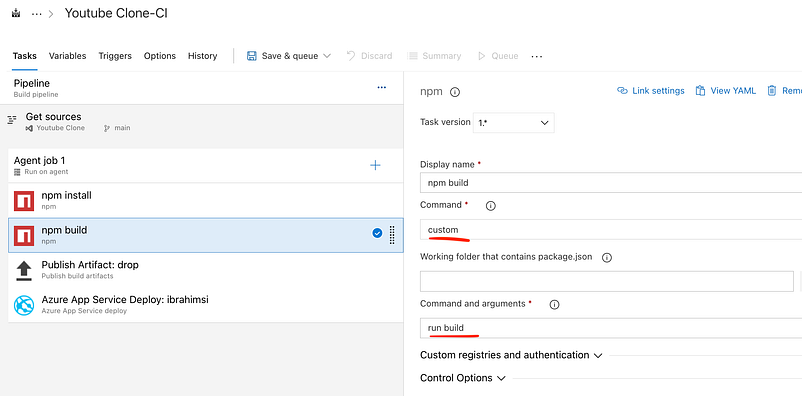
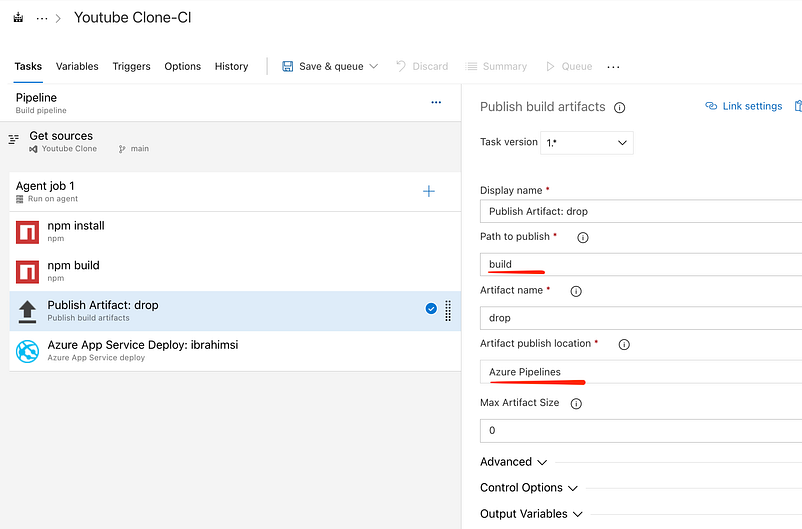
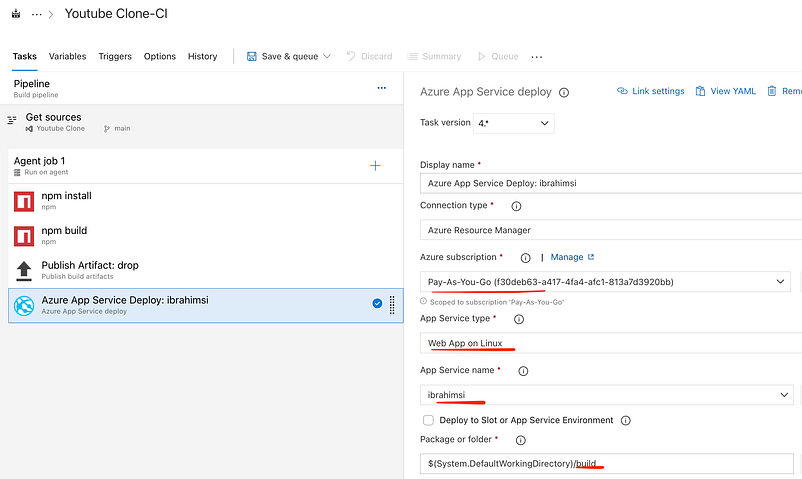
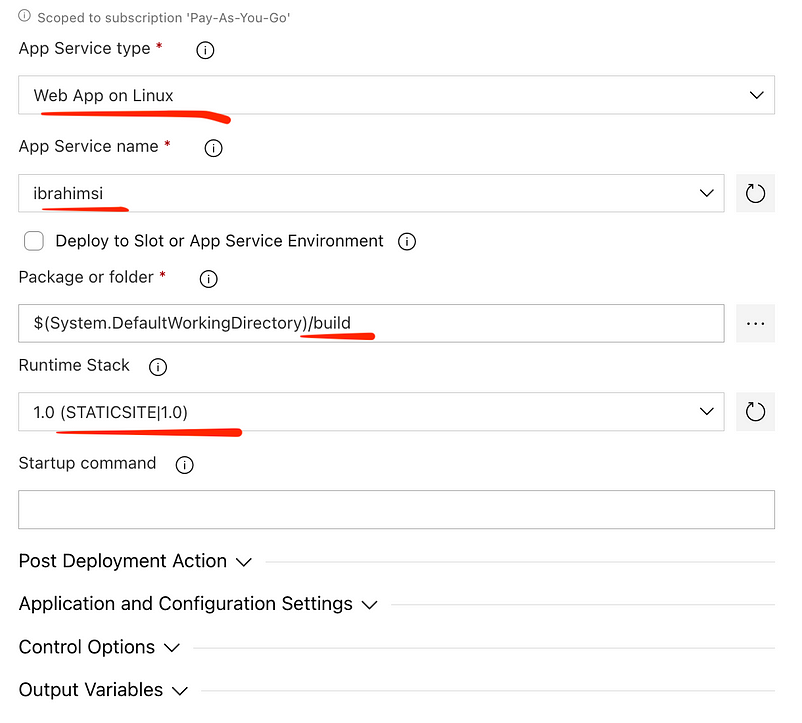
4 Task are set remaining variable,trigger see on later release handson. Click save and queue.

Finally save the pipeline

If you faced problem some error
“Error: No hosted parallelism has been purchased or granted. To request a free parallelism grant”
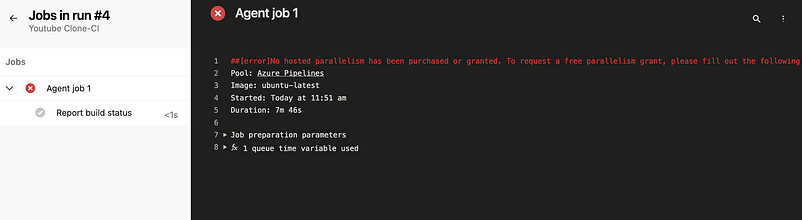
Follow the below steps:
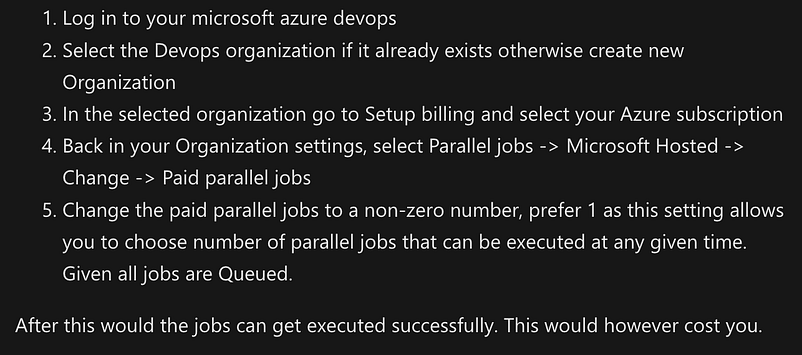
Finally run the pipeline

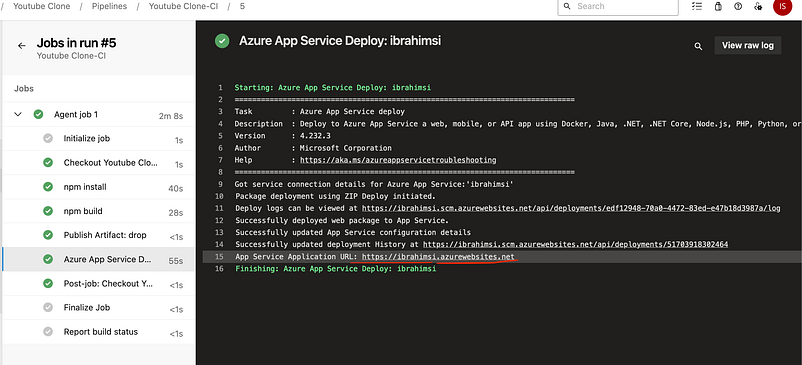
Click the URL the page redirect but the same default homepage
Microsoft Azure App Service - Welcome
Edit description
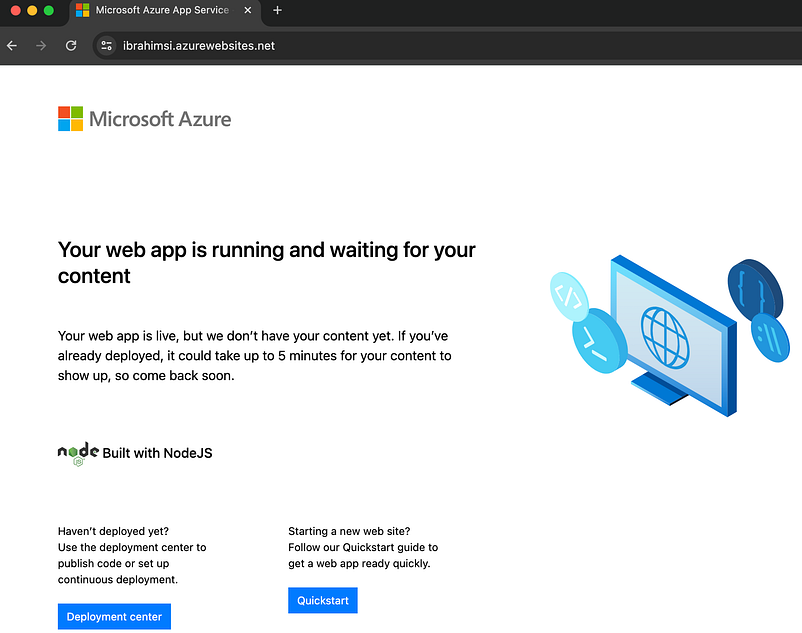
Why?
Default enable the cache in app services disable it now.
Go to azure portal → Webapp → Configuration → Finally save the setting
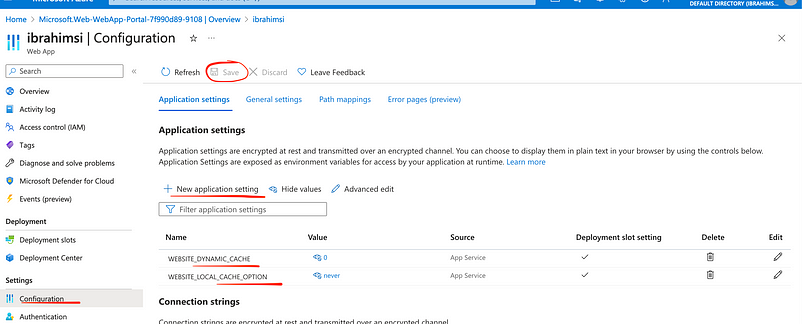
Restart the webservice application. Again hit the URL https://ibrahimsi.azurewebsites.net/
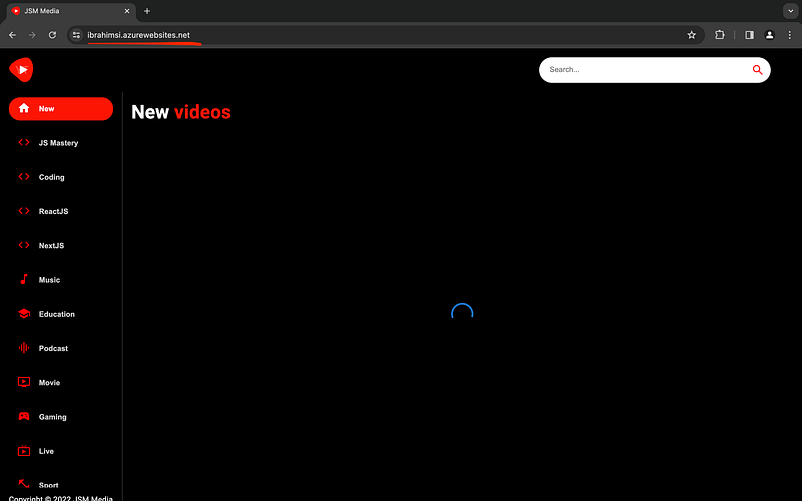
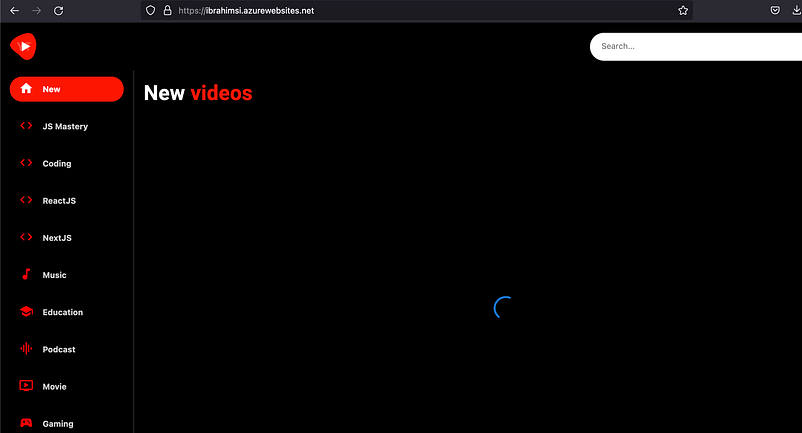
Successfully hosted the applications…
Export to pipeline
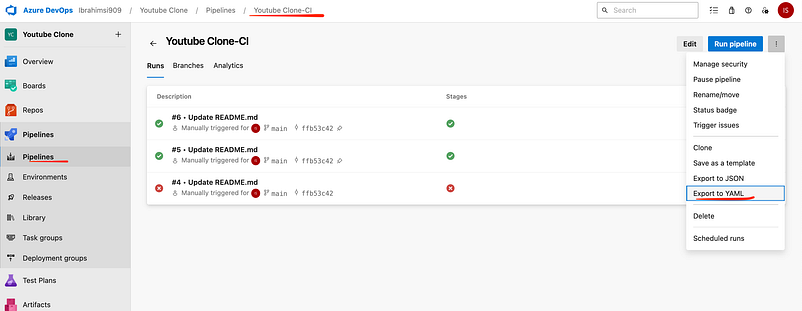
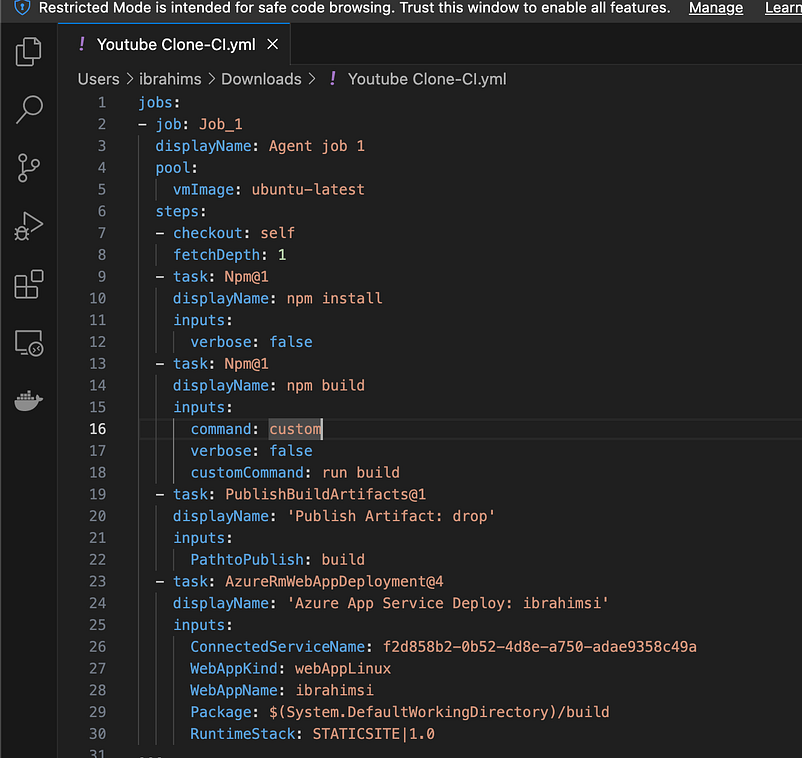
YAML code
Another way to create a pipeline
Pipeline → New pipeline → Azure repos git → Youtube Clone → Starter pipeline → Save and run
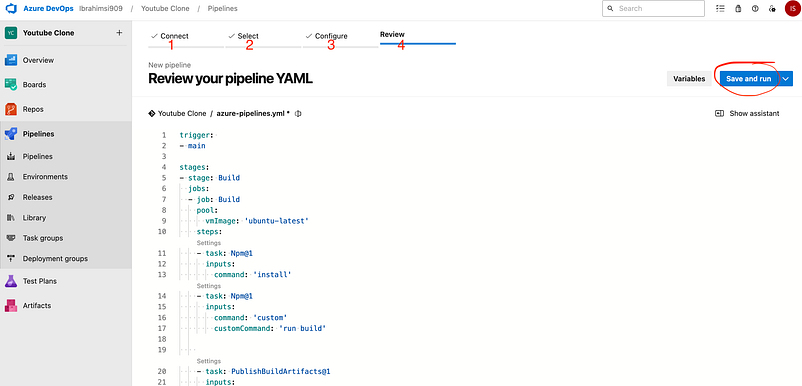

trigger:
- main

stages:
- stage: Build
  jobs:
  - job: Build
    pool:
      vmImage: 'ubuntu-latest'
    steps:
    - task: Npm@1
      inputs:
        command: 'install'
    - task: Npm@1
      inputs:
        command: 'custom'
        customCommand: 'run build'


    - task: PublishBuildArtifacts@1
      inputs:
        PathtoPublish: 'build'
        ArtifactName: 'drop'
        publishLocation: 'Container'

- stage: Deploy
  jobs:
  - job: Deploy
    pool:
      vmImage: 'ubuntu-latest'
    steps:
    - task: DownloadBuildArtifacts@1
      inputs:
        buildType: 'current'
        downloadType: 'single'
        artifactName: 'drop'
        downloadPath: '$(System.ArtifactsDirectory)'
    - task: AzureRmWebAppDeployment@4
      inputs:
        ConnectionType: 'AzureRM'
        azureSubscription: 'f2d858b2-0b52-4d8e-a750-adae9358c49a'
        appType: 'webAppLinux'
        WebAppName: 'ibrahimsi'
        packageForLinux: '$(System.ArtifactsDirectory)/drop'
        RuntimeStack: 'STATICSITE|1.0'
Finally run the code
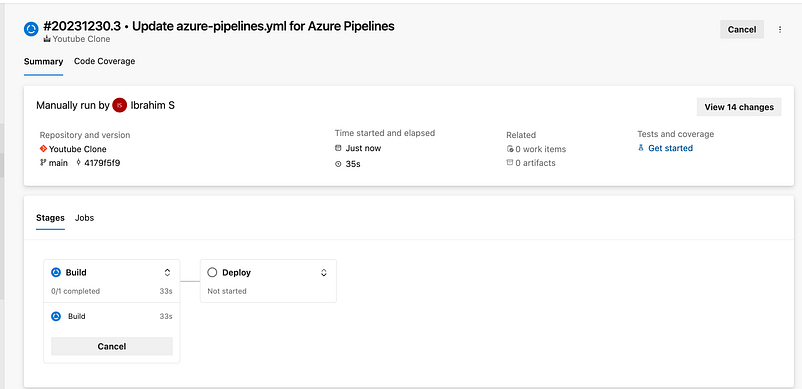
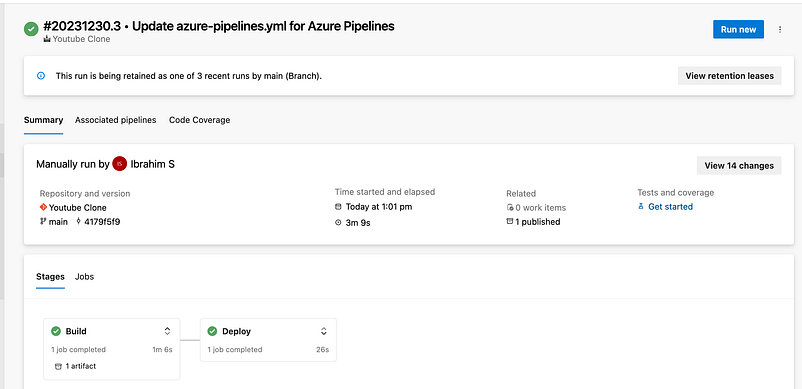
Successfully completed the job
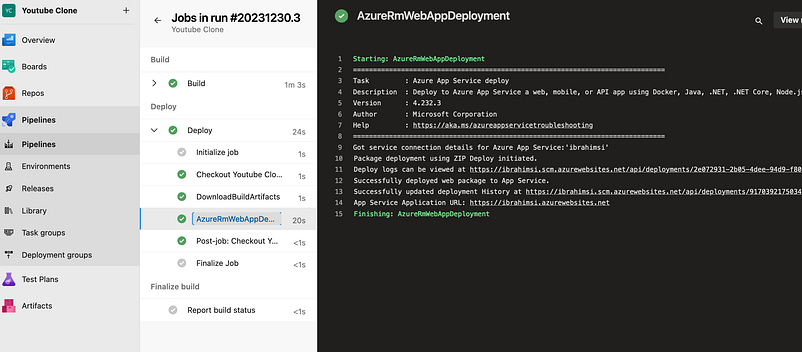
Rehit the URL
Microsoft Azure App Service - Welcome
Edit description
Thank you 🙏 for taking the time to read our blog.