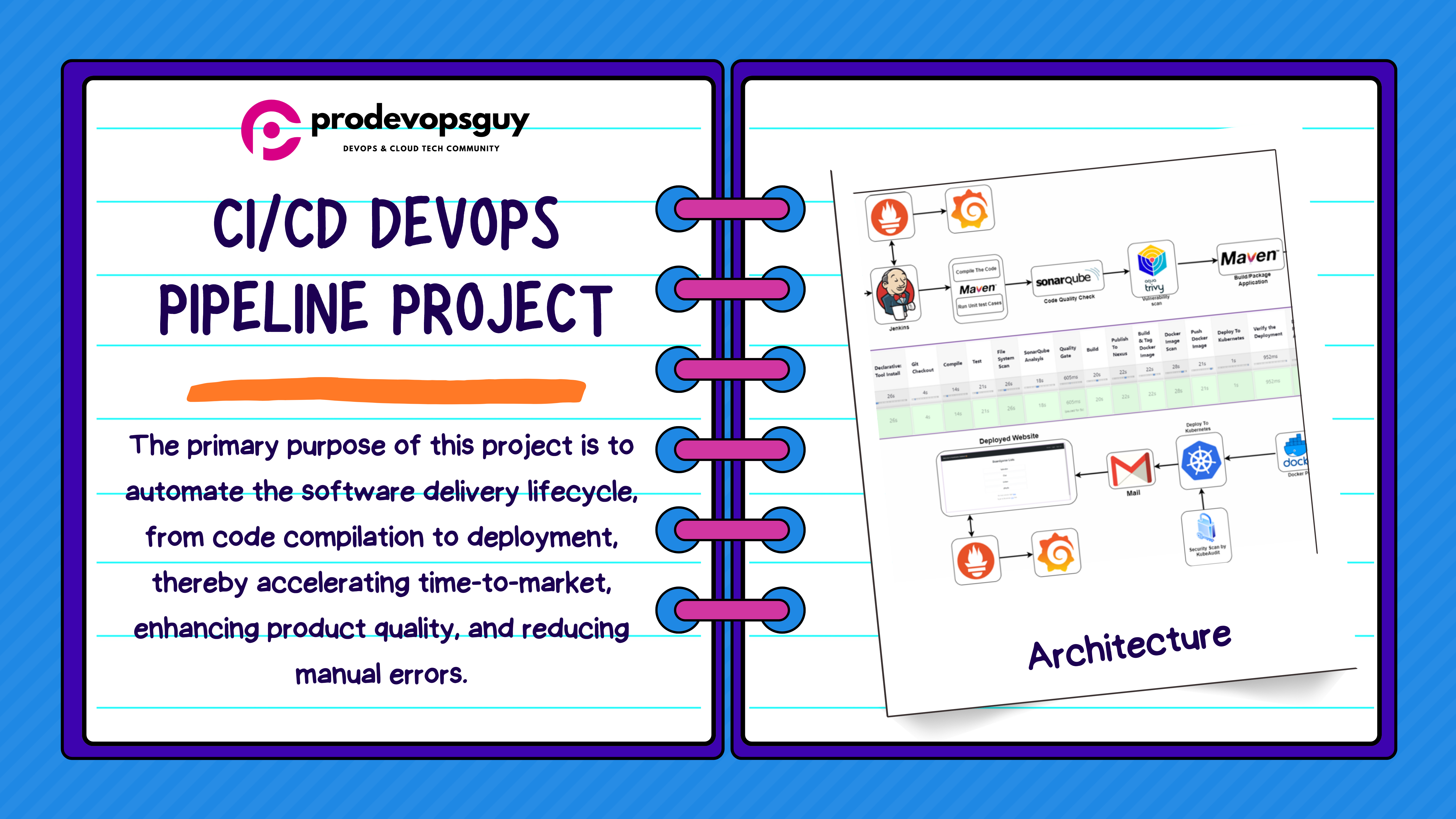
Basic DevOps CI-CD workflow!

𝑪𝒍𝒐𝒖𝒅 𝒂𝒏𝒅 𝑫𝒆𝒗𝑶𝒑𝒔 𝑻𝒆𝒄𝒉 𝑪𝒐𝒎𝒎𝒖𝒏𝒊𝒕𝒚 || 𝑷𝒓𝒐𝑫𝒆𝒗𝑶𝒑𝒔𝑮𝒖𝒚 🤖 https://t.me/prodevopsguy 👋 Hi there! We are ProDevOpsGuy, a passionate DevOps enthusiast Tech Community with a strong belief in the power of automation and collaboration to drive innovation. 🚀 I thrive in bridging the gap between development and operations, creating seamless and efficient software delivery pipelines. My journey in the world of DevOps has allowed me to blend my technical skills with a knack for problem-solving, enabling me to contribute effectively to agile and dynamic environments. 💡 With a keen interest in continuous integration, continuous delivery (CI/CD), containerization, and orchestration, I've had the privilege to explore cutting-edge technologies like Docker, Kubernetes, Jenkins, and Ansible. I find joy in designing scalable and resilient infrastructures that enable teams to deploy applications faster and with greater confidence. 🌐 Beyond the tech realm, I'm an advocate for DevOps culture, emphasizing collaboration, communication, and a relentless pursuit of improvement. I'm always eager to connect with fellow professionals, exchange insights, and explore opportunities to collaborate on exciting projects. 📚 When I'm not tinkering with the latest DevOps tools, you can find me indulging in books on technology trends, hiking to rejuvenate, and occasionally experimenting with new coding challenges. 🌟 Let's connect! Whether you're looking to discuss DevOps methodologies, explore partnership opportunities, or simply share experiences, feel free to reach out. I'm excited to be part of the DevOps journey, driving excellence together.
Basic DevOps CI-CD workflow steps!
Developer Writes Code: The developer writes the application code which is then pushed to a version control system, such as Git.
Source Code (Git): The code is stored and managed in a Git repository (for e.g.: GitHub, Bit Bucket, Gitlab etc.). This repository tracks changes, allows for version control, and facilitates collaboration among team members.
Creates Dockerfile: The developer creates a Dockerfile in the repository. This Dockerfile contains instructions on how to build a Docker image for the application.
Docker Builds Image: Docker reads the Dockerfile and builds a Docker image based on the instructions provided.
Docker Image: The resulting Docker image is a portable, standalone package of the application. This image can be shared and deployed on any system that supports Docker.
Pushes to Container Registry: The Docker image is pushed to a container registry, such as Docker Hub/ Jfrog Artifactory etc. The registry acts as a central repository for Docker images, making them accessible for deployment.
Pulls from CI/CD Tool: Make use of any CI-CD tool (for eg: Jenkins), pulls the Docker image from Docker Hub. Jenkins automates the deployment pipeline, ensuring the latest image is used for deployment.
Deploys to Kubernetes Cluster: CD tool deploys the Docker image to a Kubernetes cluster. Kubernetes orchestrates the deployment, scaling, and management of containerized applications.
Runs Containers (Kubernetes Pods): The Docker image runs within Kubernetes Pods. Pods are the smallest deployable units in Kubernetes, containing one or more containers.
Monitoring: Make use of a monitoring tool(for eg: Prometheus), collects and stores metrics from the running containers. It monitors the health and performance of the application and the Kubernetes cluster.
Visualizes with Grafana: Grafana, a data visualization tool, accesses the metrics stored by Prometheus. It provides dashboards and visualizations to help analyze the application's performance.
Alerts via Alert Manager: Alert Manager, integrated with Prometheus, processes alerts based on predefined conditions. Alert Manager sends notifications to the development or operations team via various channels such as email or Slack.
Thank you for reading my blog …:)
© Copyrights: ProDevOpsGuy
Support 🫶
Help spread the word about ProDevOpsGuy by sharing it on social media and recommending it to your friends. 🗣️
You can also sponsor 🏅 on GitHub Sponsors // 🎗️ Support Our Work 🎗️